Copilot Studio
 M365 Copilot
 Copilot Cowork
 Autopilots
 Governance
Editor's Note: In March 2025, Microsoft announced a significant revision to Message consumption rates (see Microsoft Learn documentation). This article remains published for archival and reference purposes only, and we will be posting a new article explaining the latest consumption rates soon. We expect there will be more changes to the consumption rates through 2025 as Microsoft releases new premium features to Copilot Studio.
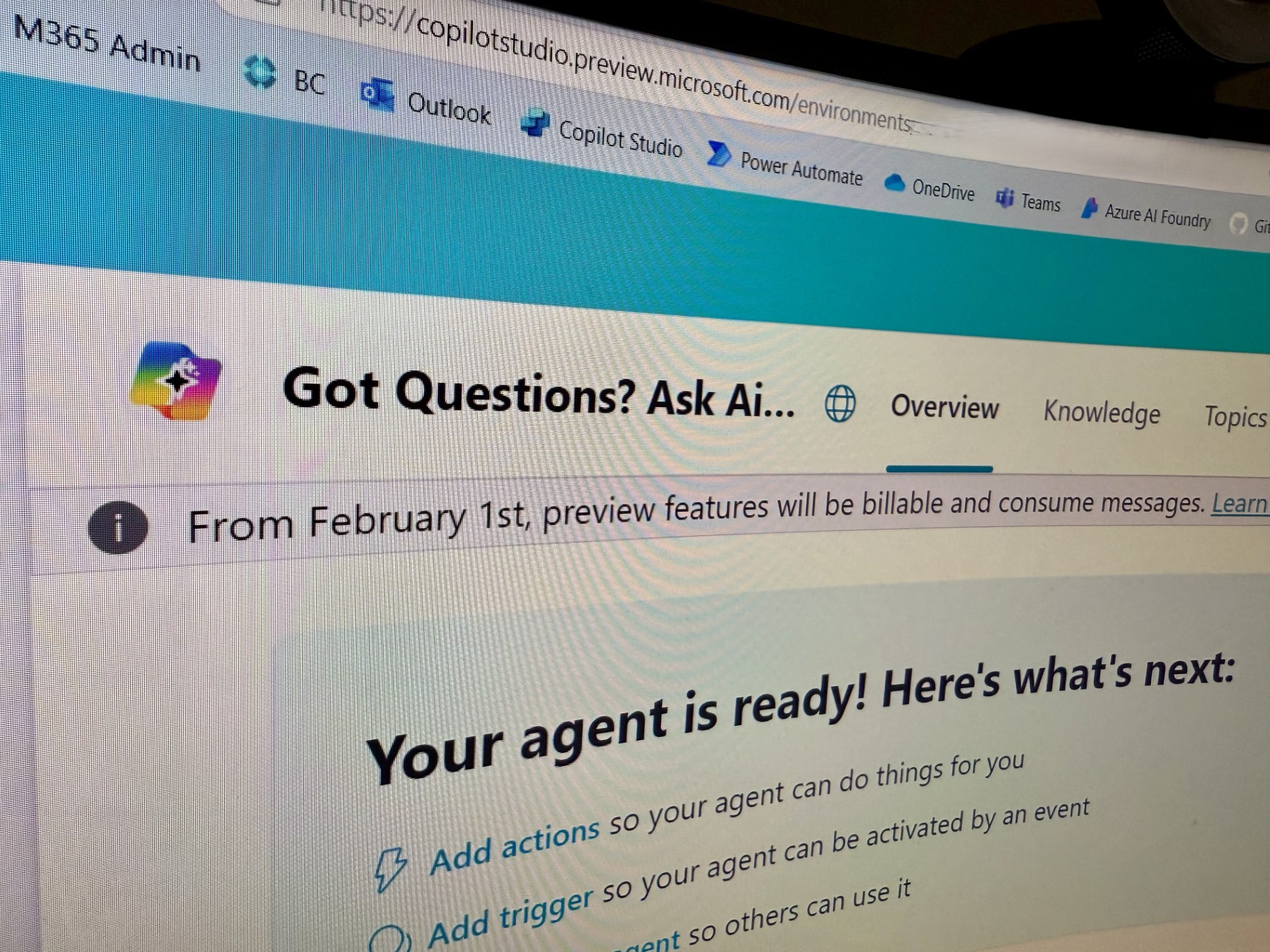
The internet has been abuzz the last two weeks with chatter about upcoming plans to start billing for use of autonomous actions in Copilot Studio. Since this feature is currently in preview mode, makers have been able to use and deploy it in custom Agents (standalone) as well as declarative Agents (deployed in Copilot for M365) at no cost. But this is set to change on February 1, 2025. This change is not to be taken lightly because it can have a significant impact on cost for the organization footing the bill for these Agents.
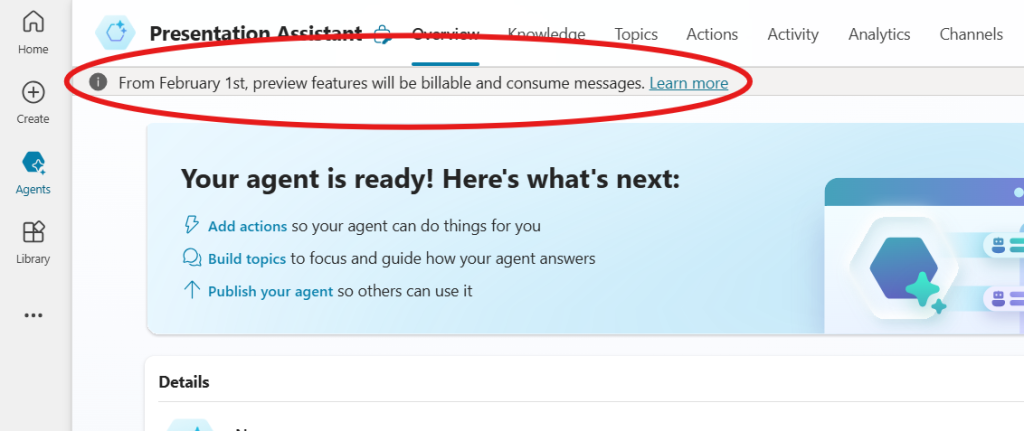
With just a few days before the looming change, for many it may still not be clear what Autonomous Actions are, what the cost structure is, and the nuances of when and how it will apply. There is a lot to take in, so to make things easy for everyone to understand, we'll break it all down for you over two posts this week.
Today's post will be objective and just focus on the what's what aspect of things. In the second post, we will also discuss the qualitative and subjective / opinion-based aspect of these fees and if they can be considered reasonable.
Let's start with the basics:
What are Autonomous Actions in Copilot Studio?
In Copilot Studio, makers have the ability to enable Generative AI driven Orchestration from the Overview page of the Agent, or to switch from Classic to Generative (preview) orchestration from Settings > Generative AI. Both of them accomplish the same purpose and can be used interchangeably; the latter configuration option will soon be replaced with the former.

When this option is enabled, Copilot Studio uses GenAI to determine the best Action, Topic or Knowlege Source to call based on the user's prompt. This results in a far better orchestration experience for the user than the Classic option, where the user's prompt is broken down to identify key words and then the appropriate Topic is called (or a fallback knowledge source, if there are no topic matches).
This AI-powered orchestration behavior is also known as Autonomous Actions. To verify if your Agent is using Autonomous Actions, go to the Test Your Agent window in Copilot Studio and ask your Agent a question. If the Activity map shows that it looked up one or more knowledge sources, Actions, etc. and an Output from that effort generated your answer, then you can be assured that your agent is using Autonomous Actions and you can expect to be billed.
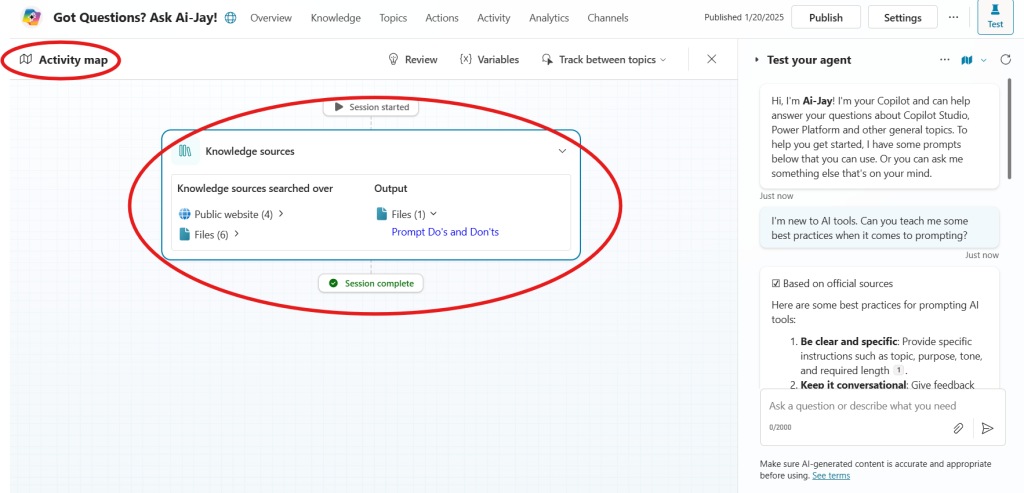
However, if no Output was used in providing an answer, or if Orchestration was disabled, then there is no charge for the use of Autonomous Actions.
But that doesn't mean you're getting it all for free
Even when agents don't use Autonomous Actions, there may still be a charge for the back and forth conversation between a user and the AI Agent. So let's explore the cost-structure
What is the Cost of Deploying an Agent built using Copilot Studio?
We have a full article on Copilot Studio licensing here, but let's recap it real quick:
- Agents are built using Copilot Studio
- Copilot Studio licensing is based on consumption of messages by deployed Agents
- There is no per-maker-per-month or per-user-per-month fee
- There are two options (pricing in USD):
- $200/tenant/month which includes a consumption quota of 25,000 messages (no rollover of unused messages to future months)
- Pay-As-You-Go (PAYG) post-bill option where each consumed message is billed at 1 cent per message
And what constitutes the consumption of a Message?
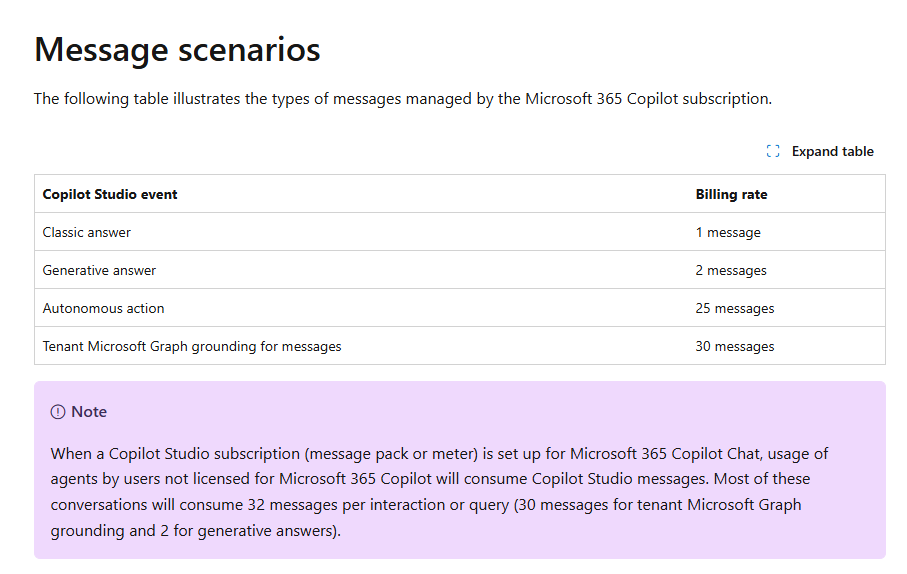
The image below from the Microsoft Learn article related to billing and messages shows a breakdown of consumption rates, which range from 1 message for a Classic answer, 2 messages for a Generative answer, and a very steep jump to 25 messages for answered generated with Autonomous actions. For messages requiring Microsoft Graph grounding from the tenant, the cost is 30 messages per answer.
For now, let's skip the last one with 30 messages because it only comes up in one specific scenario which will be discussed in our follow-up post coming later this week.
On the aforementioned page, you will also find a couple of usage scenarios and the consumption (or billing) that can be expected. If your Agent will be deployed for users on paid M365 Copilot licenses, don't jump to conclusions just yet. Check out our upcoming post for a specific discussion pertaining to those users.
How can makers and organizations track costs and set quotas?
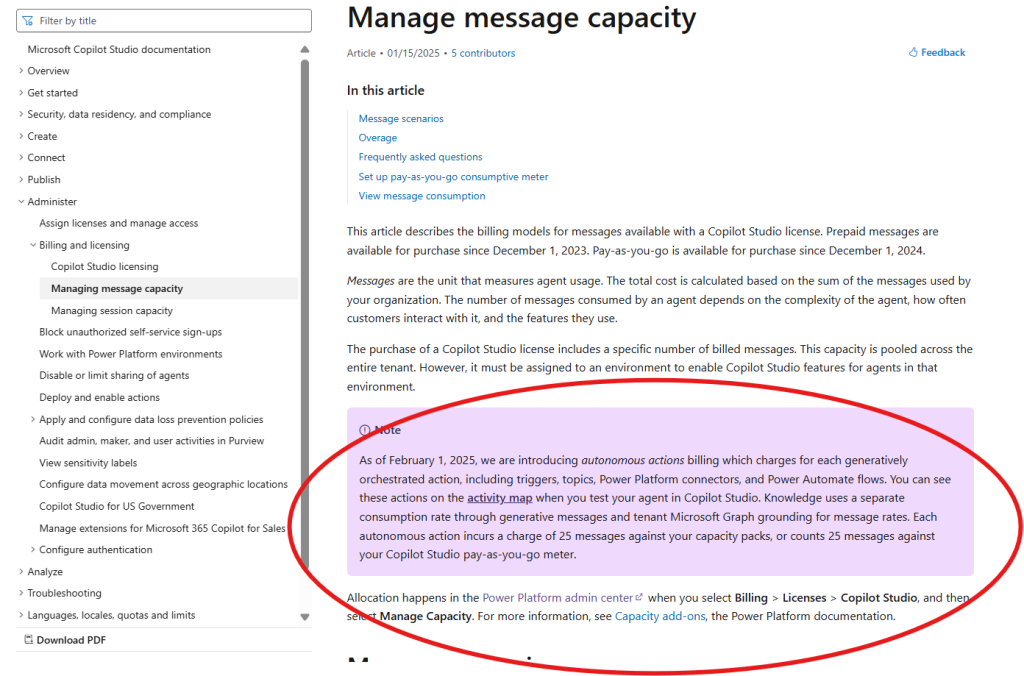
For the most accurate tracking of message consumption and billing (whether you are using the $200/month Copilot Studio plan or the PAYG post-bill message consumption plan), you can handle it from the Power Platform Admin Center (https://admin.powerplatform.com) > Billing > Licenses > Copilot Studio.
From here, you can also set quotas per environment to ensure that you can control cost overruns. In a PAYG situation, the billing happens through Azure and therefore requires that you have a credit card on file. So of course, the financially responsible thing would be to set a cap or quota to ensure you're not unpleasantly surprised at the end of the month.
What we will discuss in the Next Post
While this post should address 75% of your questions regarding messages, billing, and Autonomous Actions, it is still important to address some specific scenarios that pertain to declarative Agents, i.e., Agents deployed inside of Microsoft 365 Copilot Chat and/or Teams for use by a tenant's internal audience.
If you have users with paid Copilot for Microsoft 365 licenses (which cost $31.50/user/month on the annual plan, or $360/user/year for upfront annual payment), or plan to enable the Pay-As-You-Go / metered features for users on the free edition of Copilot Chat in the tenant, there are unique nuances that need to be considered.
You may also want to revisit and understand the potential costs stemming from a customer-facing Agent deployed on your website. While at first glance, some of the cost estimates I share may seem painfully high, you will want to review those costs through the lens of how much you are saving by not having a human agent having to attend to those repetitive tasks that an agent can handle.
The next post will specifically address the cost and impact from these types of deployments.
Stay tuned! Once the second post is up, we will update this one with a link to it.