Copilot Studio
 M365 Copilot
 Copilot Cowork
 Autopilots
 Governance
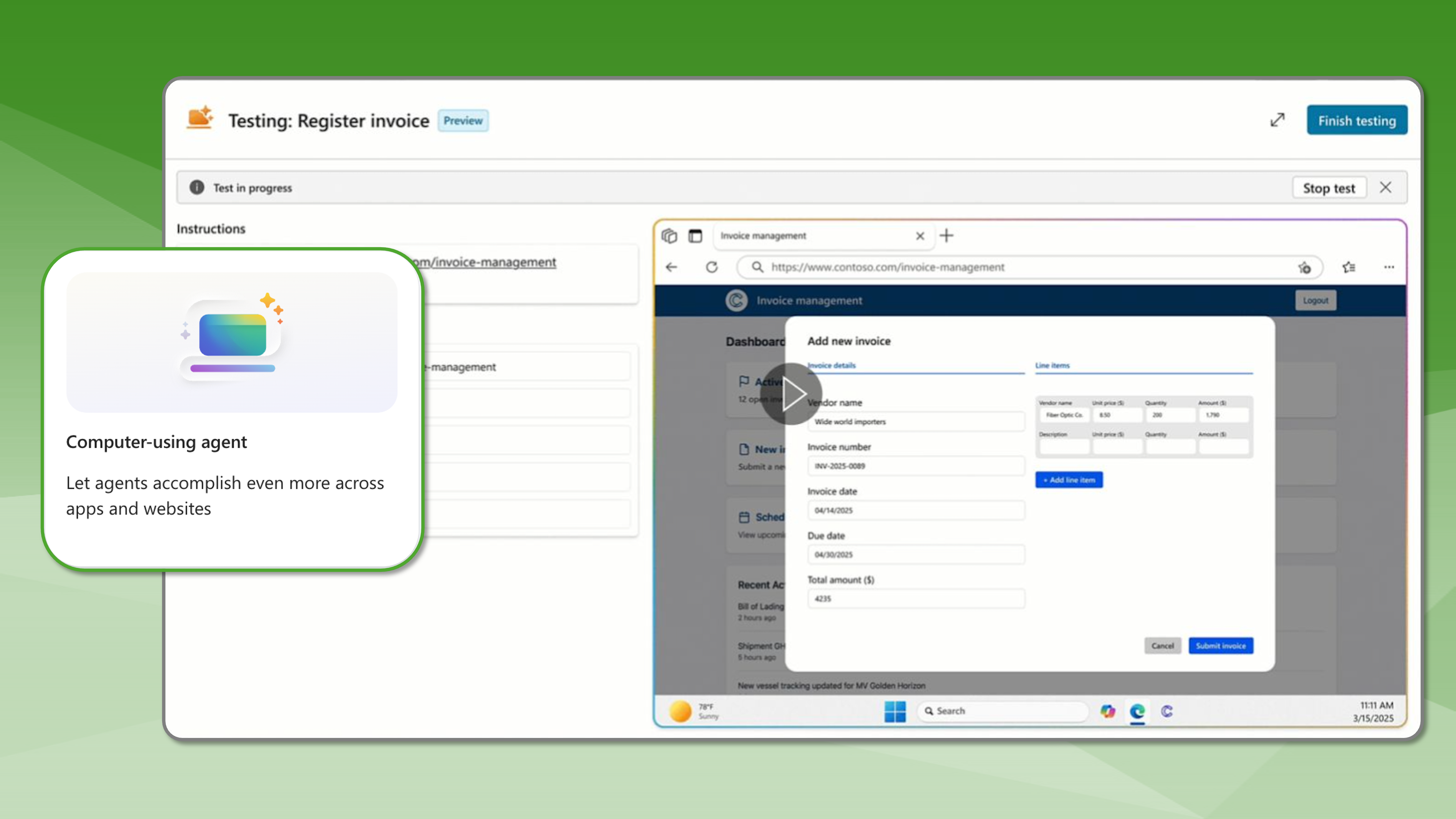
Microsoft made computer-using agents (CUAs) generally available in Copilot Studio on May 13, 2026, and the timing matters. For years, enterprise automation has had a ceiling: if a system did not expose an API, it mostly stayed out of reach. Legacy applications, vendor portals, and line-of-business platforms that predate the modern integration era have long required human hands to operate them. That ceiling is now being raised.
What are Computer-Using Agents?
Computer use gives an agent the same tools a person has: a browser, a screen, a keyboard, and the ability to read what is on the page and take the next logical step. The difference from older robotic process automation is meaningful. Most automation tools rely on brittle, selector-based scripts that break the moment a UI changes. The computer use tool relies on vision and reasoning to navigate live UIs, adapting when layouts shift, fields move, or workflows branch.
In practical terms, that means workflows previously requiring multi-quarter integration projects or manual workarounds can now be handled by an agent. For enterprise IT organizations, this can also reduce pressure to modernize or rebuild every legacy workflow before automation can begin. That is a significant unlock for organizations carrying technical debt they cannot realistically retire on any near-term schedule.
Regional Availability, Governance, and Model Choice
The GA release also comes with enterprise-grade governance built in from the start. Organizations get global availability across all commercial Power Platform geographies, secure authentication with built-in credentials and Azure Key Vault, DLP policies, environment isolation, audit trails, and human-in-the-loop checkpoints for low-confidence steps and decisions that require an operator's approval. Run history and observability give admins a full picture of what the agent saw, what it clicked, and why, with logs propagated to Microsoft Purview and Dataverse. The governance story here is not an afterthought.
Copilot Studio also now supports model choice, with models from both OpenAI and Anthropic available. For teams optimizing across reasoning depth, speed, or cost, that flexibility is worth noting.
How it Works
Getting started is straightforward. Makers can create or open an agent in Copilot Studio, navigate to Tools, select Add tool, choose Add new computer use, and describe the task in natural language. Microsoft has also published full documentation covering configuration details and best practices.
From Conversation to Action
The broader shift here is one the industry has been watching for a while. Agentic AI is moving from conversation into action, and general availability in Copilot Studio means enterprise teams no longer need to wait on a roadmap item to start building.
The full official announcement from Microsoft on their Copilot Studio blog can be found here.