Copilot Studio
 M365 Copilot
 Copilot Cowork
 Autopilots
 Governance
The key to getting the most out of AI tools is mastering the art of prompt-writing. But when it comes to a wide-spectrum platform like Copilot for Microsoft 365, mastering prompts becomes even more critical. This is where the Copilot Prompt Gallery comes in. It's a one-stop repository of prompts that can teach you prompt writing as well as how to incorporate documents and team members into your prompts for maximum impact.
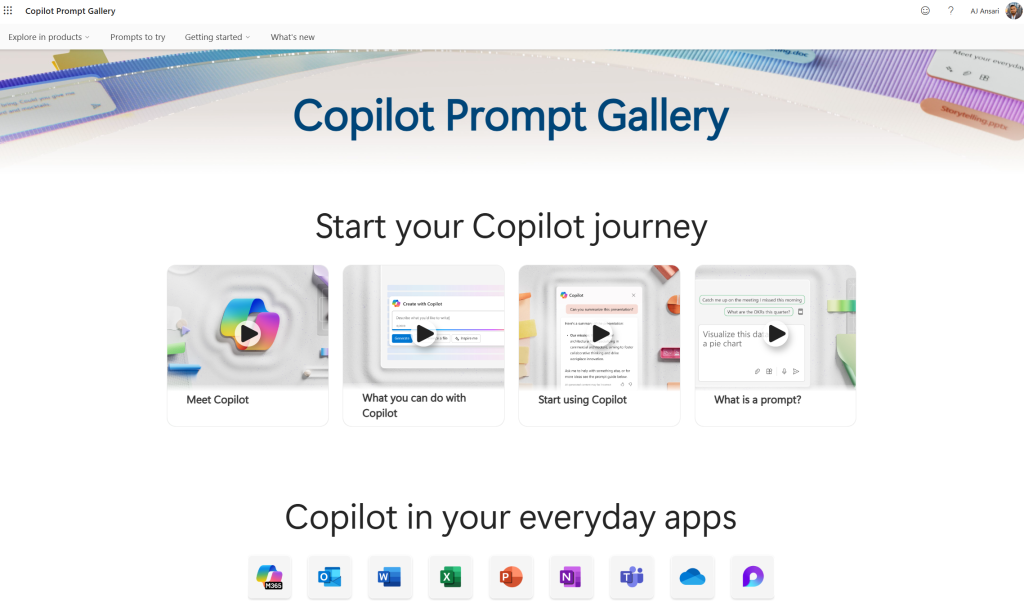
Where can you find the Copilot Prompt Gallery?
Here's the URL to bookmark: https://copilot.cloud.microsoft/prompts (this will redirect you to your language and localization; for instance, in the US, it will redirect you to en-us/prompts)
How can the Copilot Prompt Gallery help?
If you are a true beginner at prompting, start with the four short videos in the Start your Copilot journey section.
As you can see below the videos, this resource can help you master prompts across all the Office apps as well as Copilot Chat.
To get knee-deep into prompt writing, navigate to the Explore in Products menu or the Prompts to Try menu. You will find the ability to filter down by the specific Office app you need help with. What I really like is that it even breaks down prompts by Copilot Chat for Work and Copilot Chat for Web.
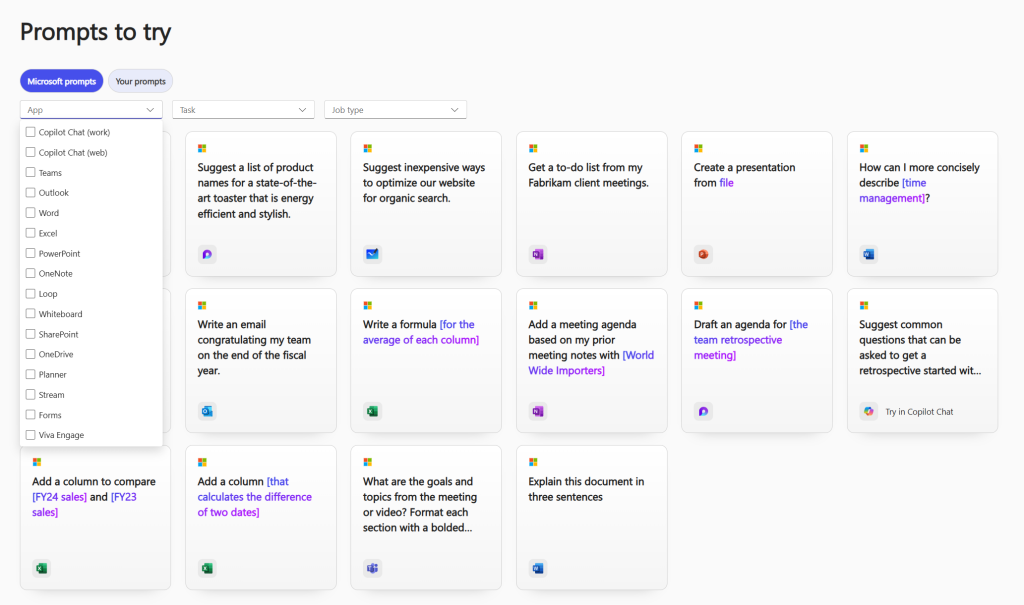
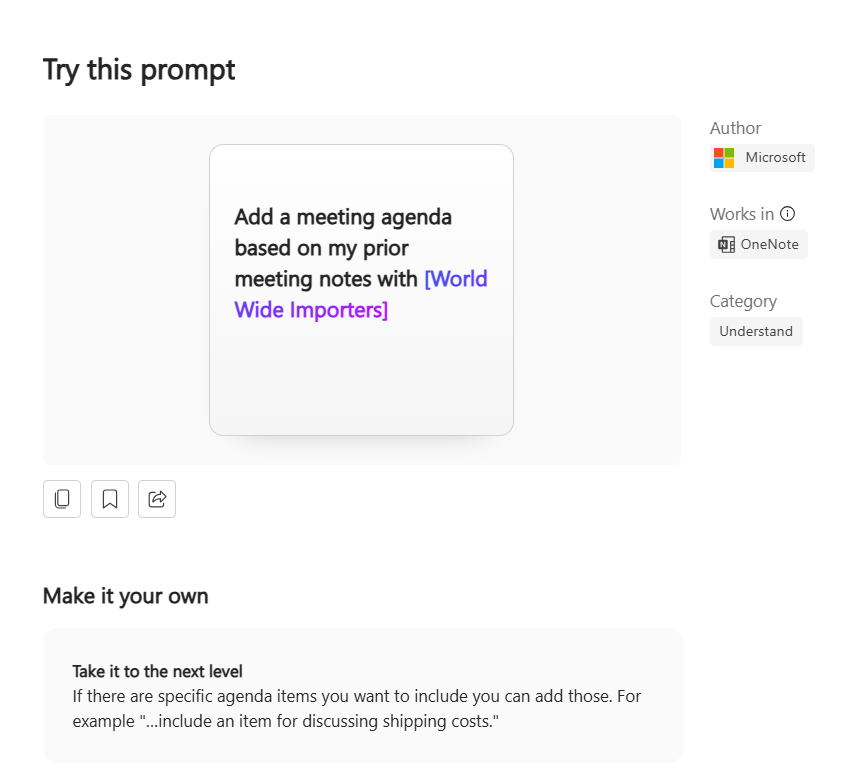
Further, you can filter the list by Task (such as create, edit, etc.), and Job type (Sales, Finance, HR etc.). Once you've picked your combination of App, Task and Job Type, you will see a list of prompts to try. Where dynamic content like a reference to a document, a person or something similar can be added, the prompt uses visual cues like multi-colored text.
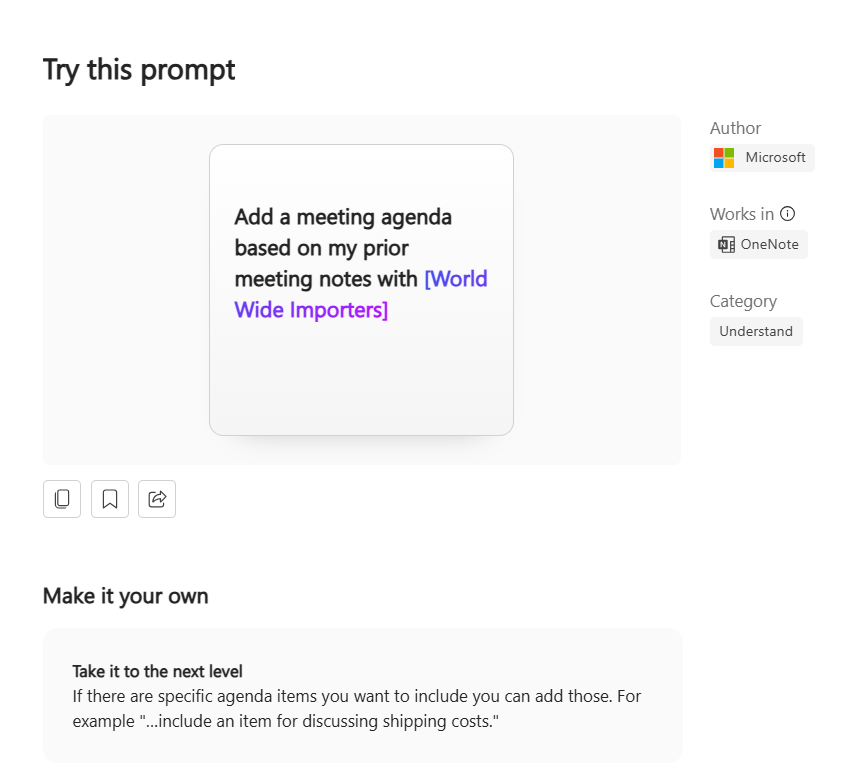
Choose a desired prompt, and it will show you examples, advanced variations and similar prompts. You can also bookmark and save your favorite prompts for quick access later as well as the ability to share it with a team member.
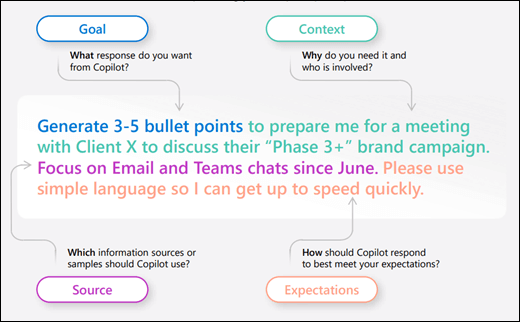
Additionally, the site also has a fantastic set of reference resources like the art of prompting which explains the essential ingredients of an effective prompt.
There is also helpful information on how you can elevate your prompts with more details.
Looking for more help with prompts? Check out our article on Writing Effective Prompts.
It's not too late to start becoming a prompting pro. Today is the day, and now you have all the resources at the tip of your fingers. Let's go!