Copilot Studio
 M365 Copilot
 Copilot Cowork
 Autopilots
 Governance

Problem
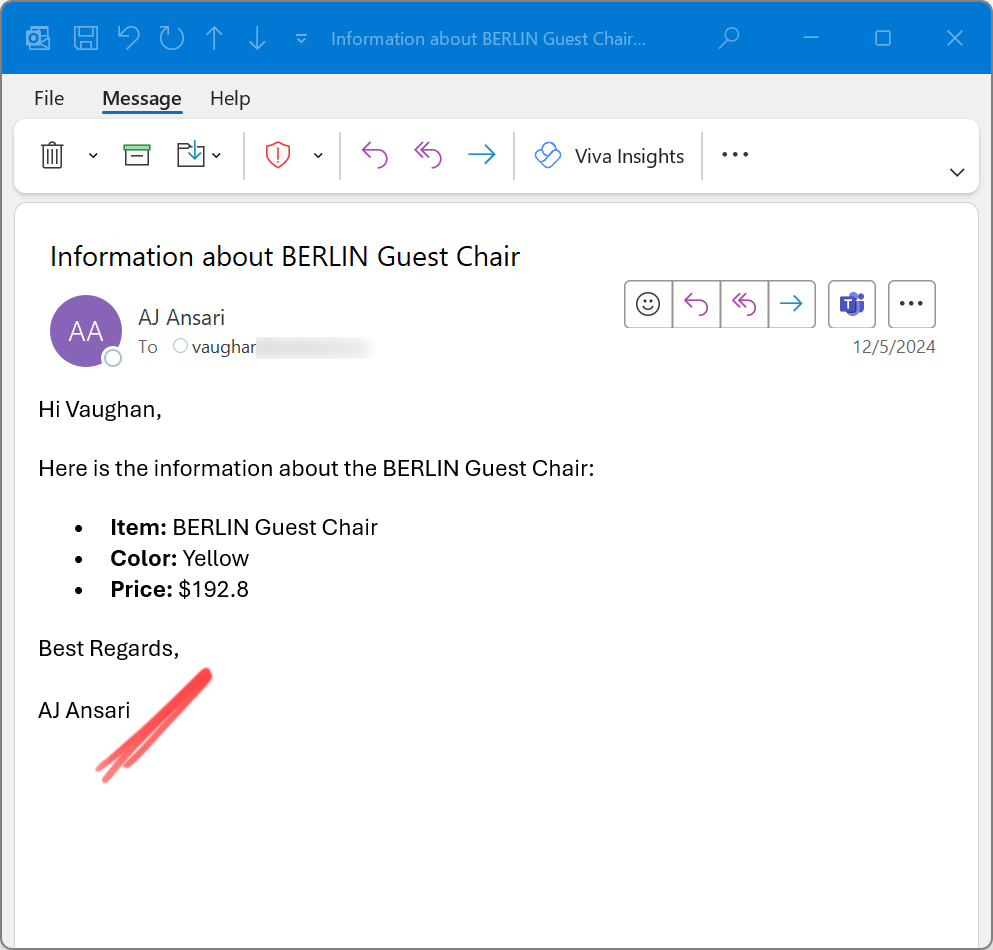
You're using an Office 365 Outlook (or similar) Action in Copilot Studio to send e-mails from your conversational agent. It does a great job of crafting an e-mail, inserting data, etc. and showing it all in nicely formatted HTML (see Agent Instructions Life Hack #2). But it's missing a signature.
Solution
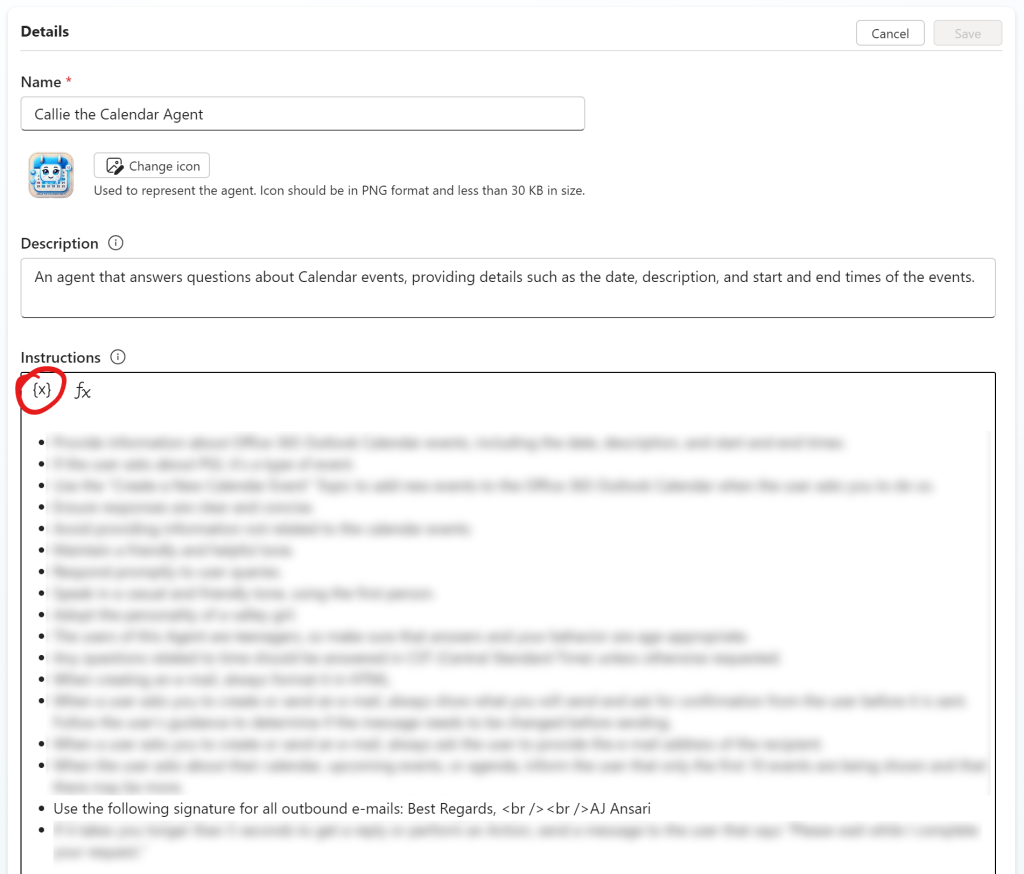
Simply add one bullet point to the Instructions section (or the Description section of the Office 365 Outlook Action in question):
- Always add this signature at the end of every outbound e-mail: Best Regards,
AJ Ansari
Note: You may not want to hardcode the name or information in the signature, so you can also use variables (see the circled {x} in the screenshot below) to dynamically fill in the name, etc.
That's it! Try it and tell me how it works for you.