Copilot Studio
 M365 Copilot
 Copilot Cowork
 Autopilots
 Governance
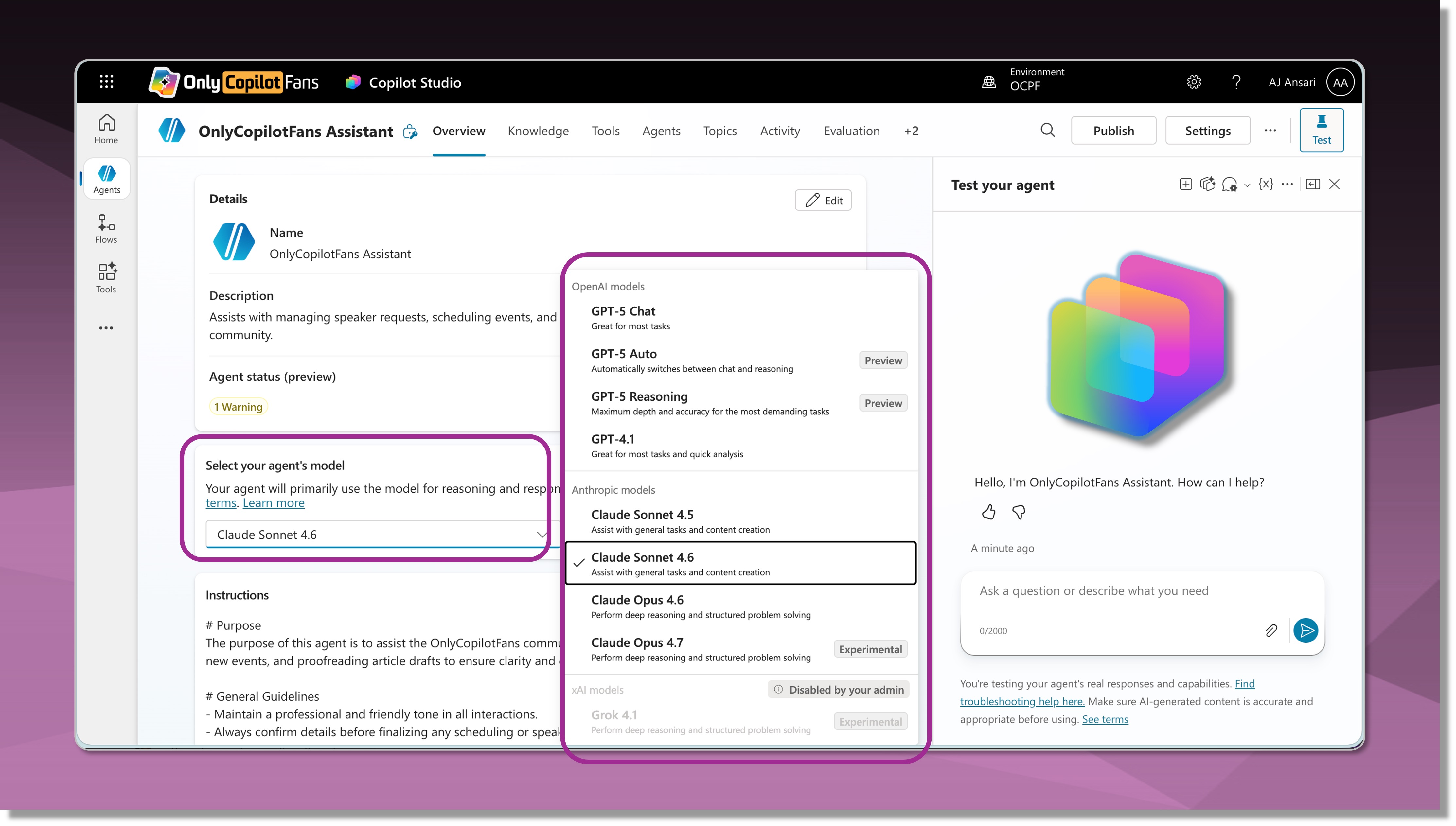
When Copilot Studio made its debut in November 2023, the large language model (LLM) that powered its generative orchestration and planning was a GPT-4 class model deployed on Azure OpenAI infrastructure. By the end of 2025, Microsoft had moved from the original model to GPT-4o, then GPT-4.1, and eventually adding support for makers to choose between various orchestration models. Initially the choice of models was limited to OpenAI's family of GPT models, and subsequently extended to models from Anthropic's family of Claude models. And in February 2026, Microsoft added yet another player: Grok from xAI.
In this article, we will take a quick look at all the models available today in Copilot Studio and break down which models are fully supported, which are experimental, and why you may not be seeing some of these models in your Copilot Studio environment.
Know Your Release Cycles
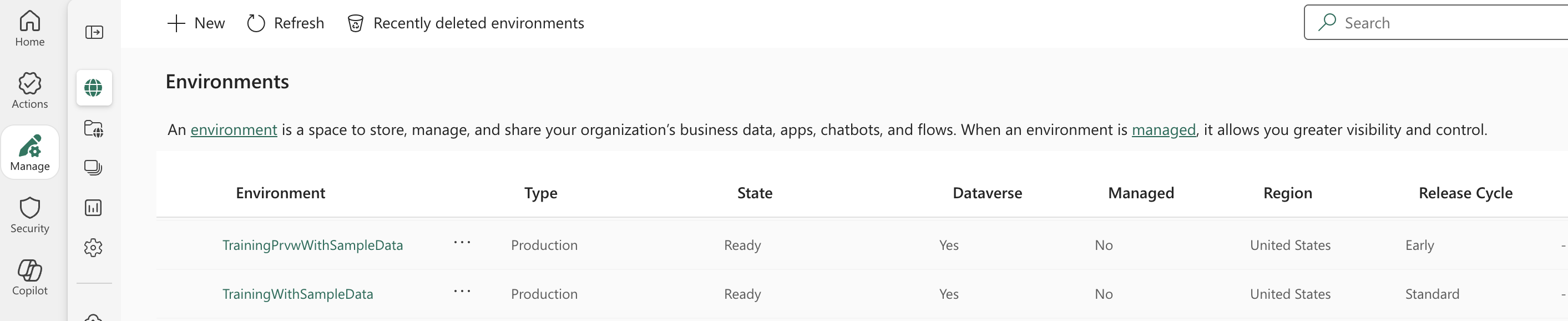
First, a quick reminder for all our readers that there are two Release Cycle options available when creating Copilot Studio (or Power Platform) environments: Standard and Early. Why this matters is that some models that are added to Copilot Studio are originally only available in the Early release cycle environments. If you are working in a Standard release cycle environment, you will either not see them at all or find them greyed-out and unavailable for selection.
There are two quick ways to know whether the environment you are working in is Standard or Early release cycle. The first way is to check from your Power Platform Admin Center: go to Manage > Environments and in the list, scroll to the right and see what Release Cycle the environment is on. In the image below, you see two environments, one on Early and one on Standard.
For makes who don't have access to the Power Platform Admin Center (PPAC), you can also look at the URL in your browser's address bar.
If the URL is https://copilotstudio.microsoft.com/environments/..... then it is a Standard release cycle environment. Early release cycle environments look slightly different (the word preview appears in the URL): https://copilotstudio.preview.microsoft.com/environments/....
Anthropic and xAI models and How To Enable Them
At this time, only OpenAI's models are available to all tenants out of the box. This is because models from Anthropic and xAI are considered External models. Anthropic actually sits somewhere between an internal model (hosted in Microsoft's AI Foundry) and an external model. It's labeled a Microsoft subprocessor, so while the models themselves are not in Foundry, they are held to the same standards and Microsoft requires for Foundry models.
This means that depending on your tenant type or geographic location, some models may not be available to you at all, or your administrator(s) may choose not to enable them. For example, Anthropic and xAI models are not available to US customers in the Government cloud. In Europe, due to data boundary concerns, organizations may choose not to enable Anthropic and/or xAI models, etc.
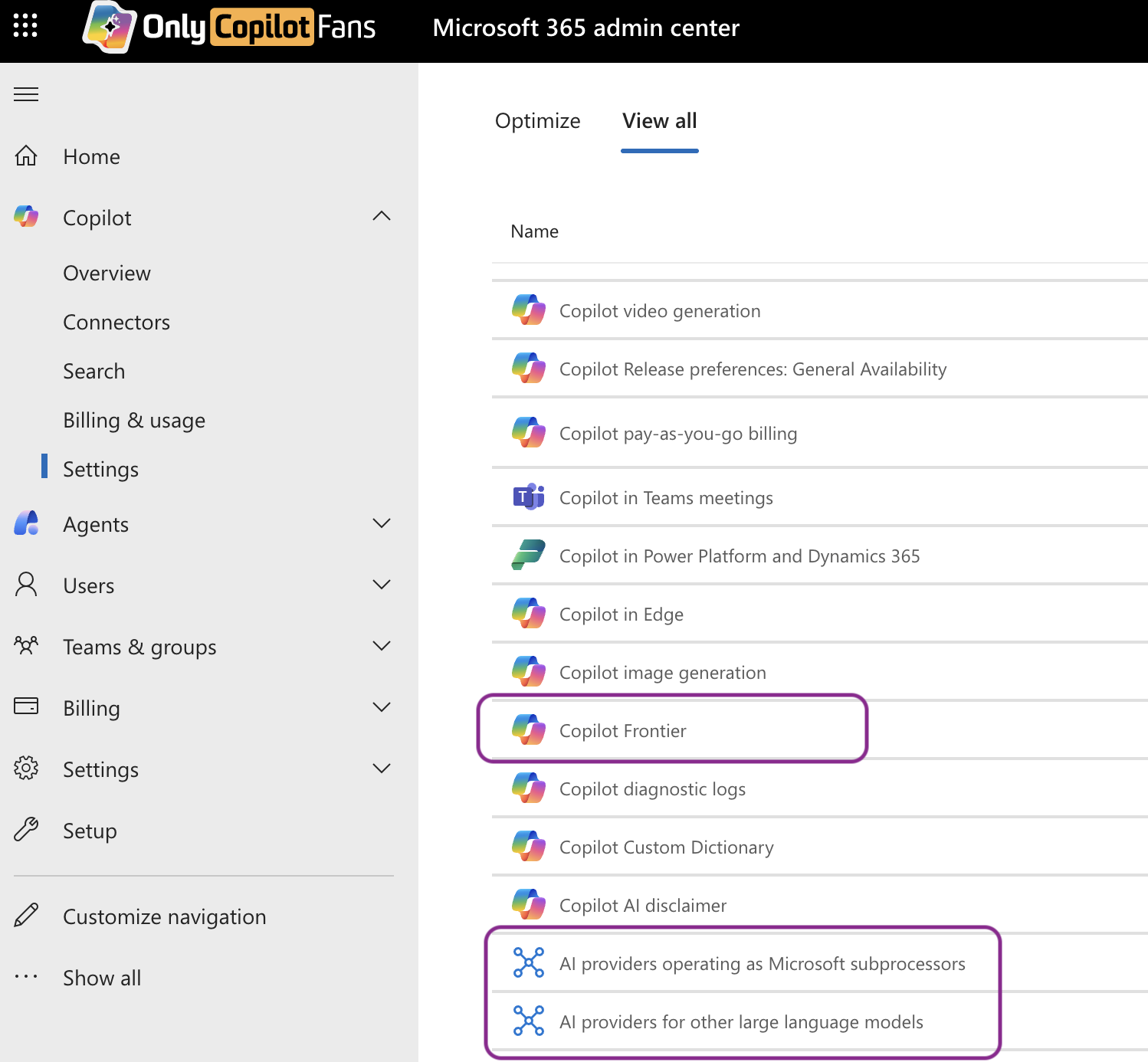
Assuming your organization has decided to use these models, Anthropic (Claude) and xAI (Grok) need to be enabled by your administrators, first from the Microsoft 365 Admin Center (MAC) > Copilot > Settings > View All. Here, your admin should enable access to Copilot Frontier, and the two AI Providers... related features.
Also, from the Power Platform Admin Center (PPAC), your administrator must go to Manage > Environments > (select the desired environment) > Settings > Product > Features and enable the Preview and Experimental AI models and Enable External Models options.
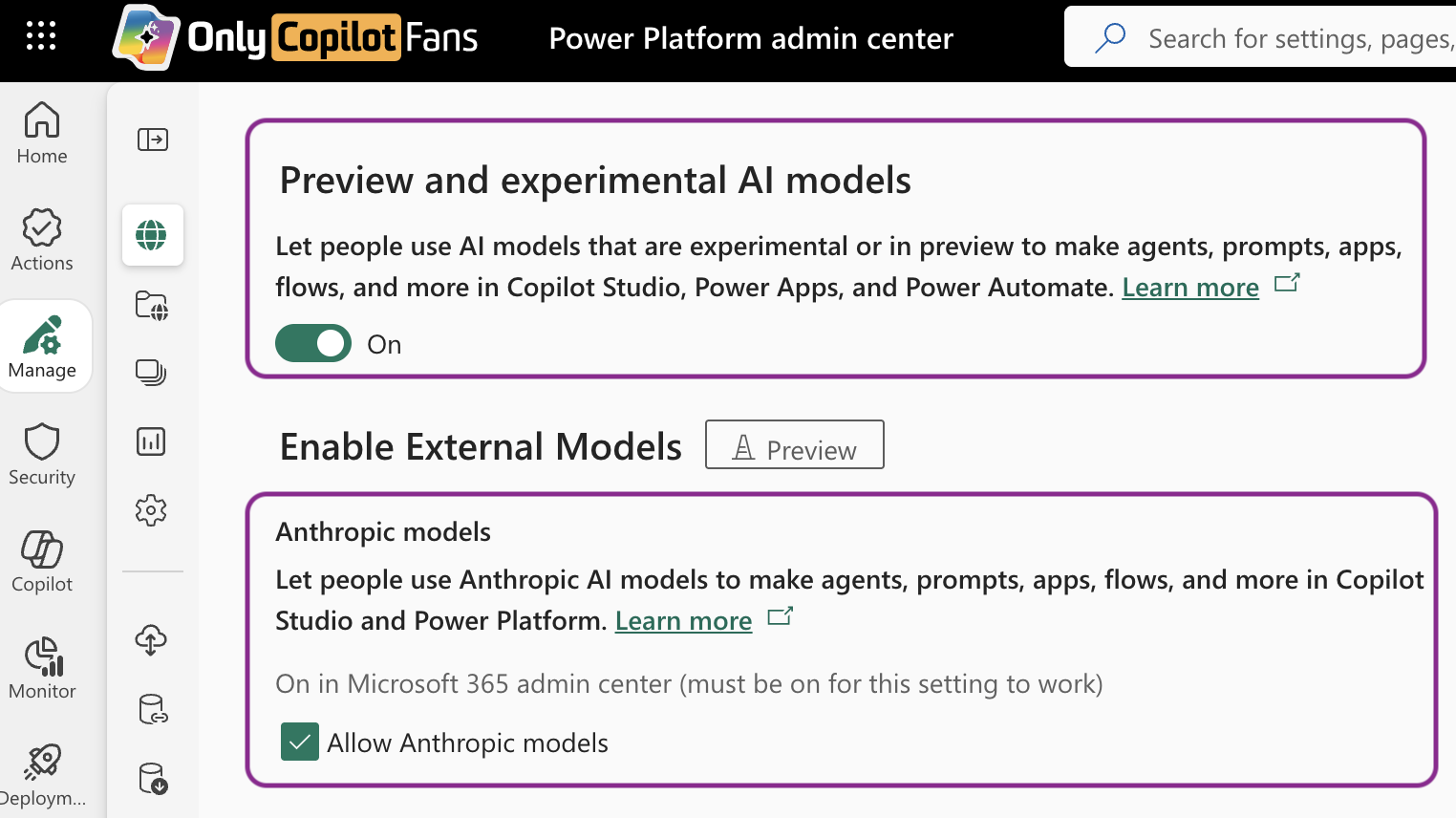
After this is done, it may take a short while for the settings to propagate so don't be alarmed if it takes a few minutes or hours before you see Anthropic and xAI models in your environments.
Without further ado, let's look at the full list of models...
What's Available in Standard Release Cycle Environments
As of May 23, 2026, here is the list of models available for orchestration and planning in Copilot Studio:
From OpenAI, we have (listed in the order displayed in Copilot Studio):
GPT-5 Chat
GPT-5 Auto (Preview)
GPT-5 Reasoning (Preview)
GPT-4.1
From Anthropic, we have (listed in the order displayed in Copilot Studio):
Claude Sonnet 4.5
Claude Sonnet 4.6
Claude Opus 4.6
Claude Opus 4.7 (Experimental)
What's Available in Early Release Cycle Environments
As of May 23, 2026, here is the list of models available for orchestration and planning in Copilot Studio:
From Open AI, we have (listed in the order displayed in Copilot Studio):
GPT-5 Chat
GPT-5 Auto (Preview)
GPT-5 Reasoning (Preview)
GPT-5.3 Chat (Experimental)
GPT-5.4 Reasoning (Experimental)
GPT-4.1
GPT-5.5 Reasoning (Experimental)
GPT-5.5 Chat (Experimental)
From Anthropic, we have (listed in the order displayed in Copilot Studio):
Claude Sonnet 4.5
Claude Sonnet 4.6
Claude Opus 4.6
Claude Opus 4.7 (Experimental)
From xAI, we have:
Grok 4.1 (Experimental)
A note about Preview and Experimental Models
Preview and Experimental models are not recommended for Production use because they may be updated on the back end without notice and this can result in a breaking change or unexpected behavior changes in agents using these. Experimental models may also be unstable.
Also, in Copilot Studio, a brief description appears for each model explaining the ideal use case.
But wait, I thought I could bring my own Models from Microsoft AI Foundry
Yes, Copilot Studio does allow you to use custom models from the Foundry, but these are not usable as the primary model for orchestration and planning. You can only use these other models within the Prompt Builder tool, a powerful feature within Copilot Studio that allows you to perform complex reasoning tasks, parse data, generate outputs in various formats and more with simple purpose-built prompts.
What is the default model for Copilot Studio agents today?
It appears that due to heavy workloads on OpenAI models, Microsoft has adopted a two-prong strategy for default orchestration and planning model in Copilot Studio agents.
If your environment is enabled for Anthropic models, you will find that Claude Sonnet 4.6 is the default model for all new agents you create.
But for environments where Anthropic models are not enabled, GPT-4.1 remains the default model.
From this page on Microsoft Learn, you can see a list of models, defaults by geography and more.
Final Thoughts...
The list I share in this article will no doubt keep changing with time. Experimental models may become Preview models, and Preview models will eventually hit GA (general availability, fit for production). Some Experimental and Preview models may also be removed if Microsoft deems them not fit for purpose.
And of course, over time production models will also be retired and eventually deprecated. Examples of these include GPT-4o (already retired), and Claude Sonnet 4.5 (scheduled to be retired May 30, 2026). When a production model is being retired, the maker is given a window of time to keep using the model in existing agents to avoid disruption while they test and update their agents to work with a new model.