Copilot Studio
 M365 Copilot
 Copilot Cowork
 Autopilots
 Governance
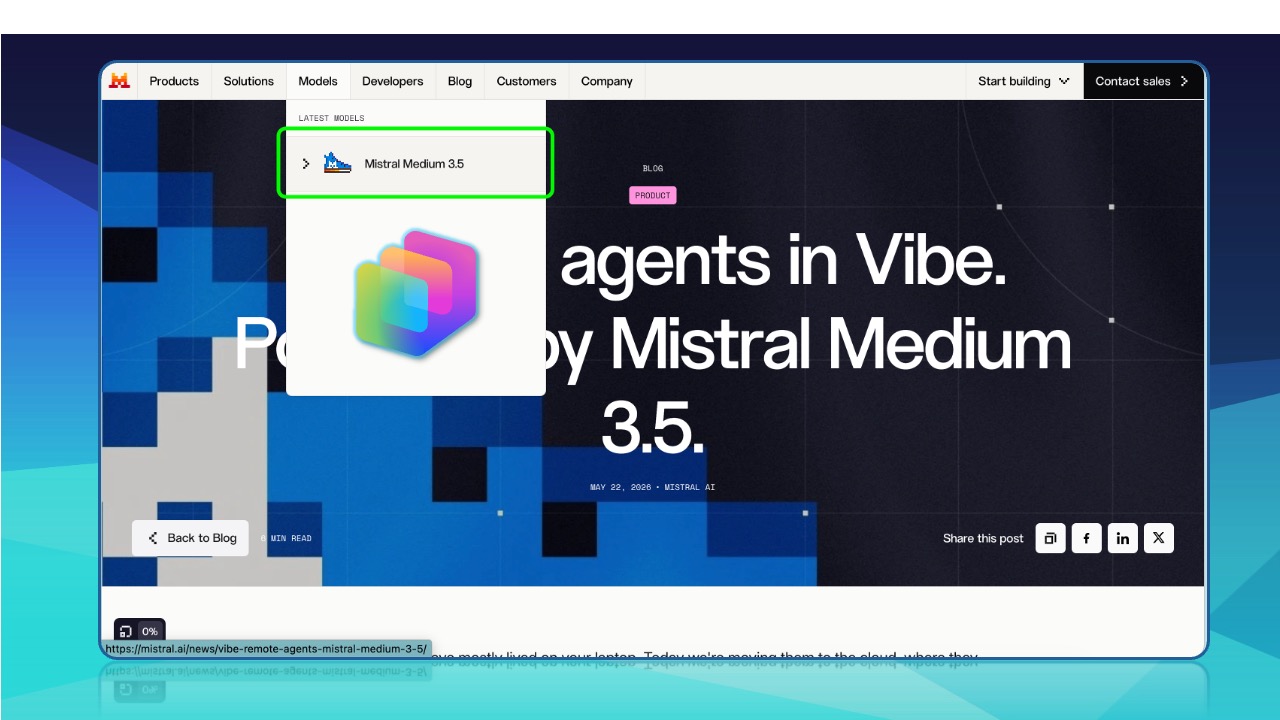
IMPORTANT UPDATE (June 3, 2026): It has come to my attention that the Mistral models are only available in EU region environments at this time. While the settings for enabling Mistral models are globally visible in M365 Admin Center and the Power Platform Admin Center in regions like the US, the models itself are not available in agents for environments that are outside the EU.
It wasn't long ago that we only had models from OpenAI in Copilot Studio. Today's Microsoft announcement deepens the bench of orchestration models in Copilot Studio with the addition of Medium 3.5 from French startup Mistral AI. Mistral becomes the fourth model provider with a native model in Copilot Studio alongside OpenAI, Anthropic, and xAI.
Mistral AI Background
Mistral's model offerings range from tiny edge-deployable models to frontier-class ones. The line up is made of their flagship Mistral Large 3, their mid-tier Medium 3.5, and their smaller, edge-tier Ministral 3.
Medium 3.5 has a 128B model with a 256k context window that can handle instructions, reasoning, and coding in a single set of weights, and it is Mistral AI's first flagship merged model, collapsing and unifying the lineage of Medium 3.1, Magistral Medium and Devstral 2 (previously separate models) into one model.
If you're comparing Medium 3.5 to a model in the Anthropic family, it would be closest to Claude Sonnet 4.x. It is strong enough for both agentic work and coding, while also being more efficient and affordable than the top-tier models.
How To Enable Medium 3.5 in your Copilot Studio Environments
As with most preview features in M365 Copilot and Copilot Studio, you'll want to ensure that Copilot Frontier is enabled for all users or desired groups of users from M365 Admin Center > Copilot > Settings > View All.
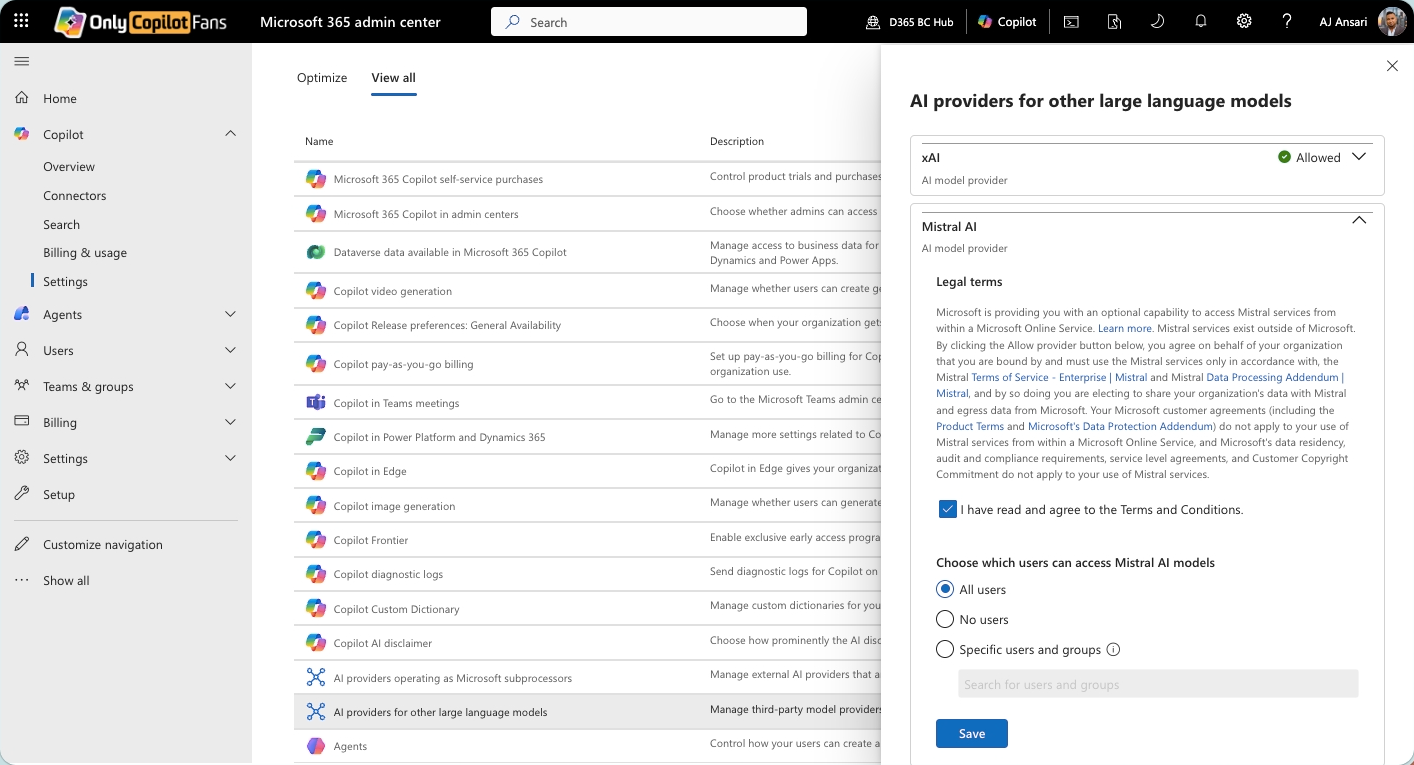
Next, from the same screen, click on AI Providers for other large language models and enable Mistral AI for all users or desired groups of users
Then, from the Power Platform Admin Center, navigate to the desired Environment (or Environment Group) from Manage. You
Important: The environment you are selecting in the Power Platform Admin Center MUST be an Early Release Cycle environment.
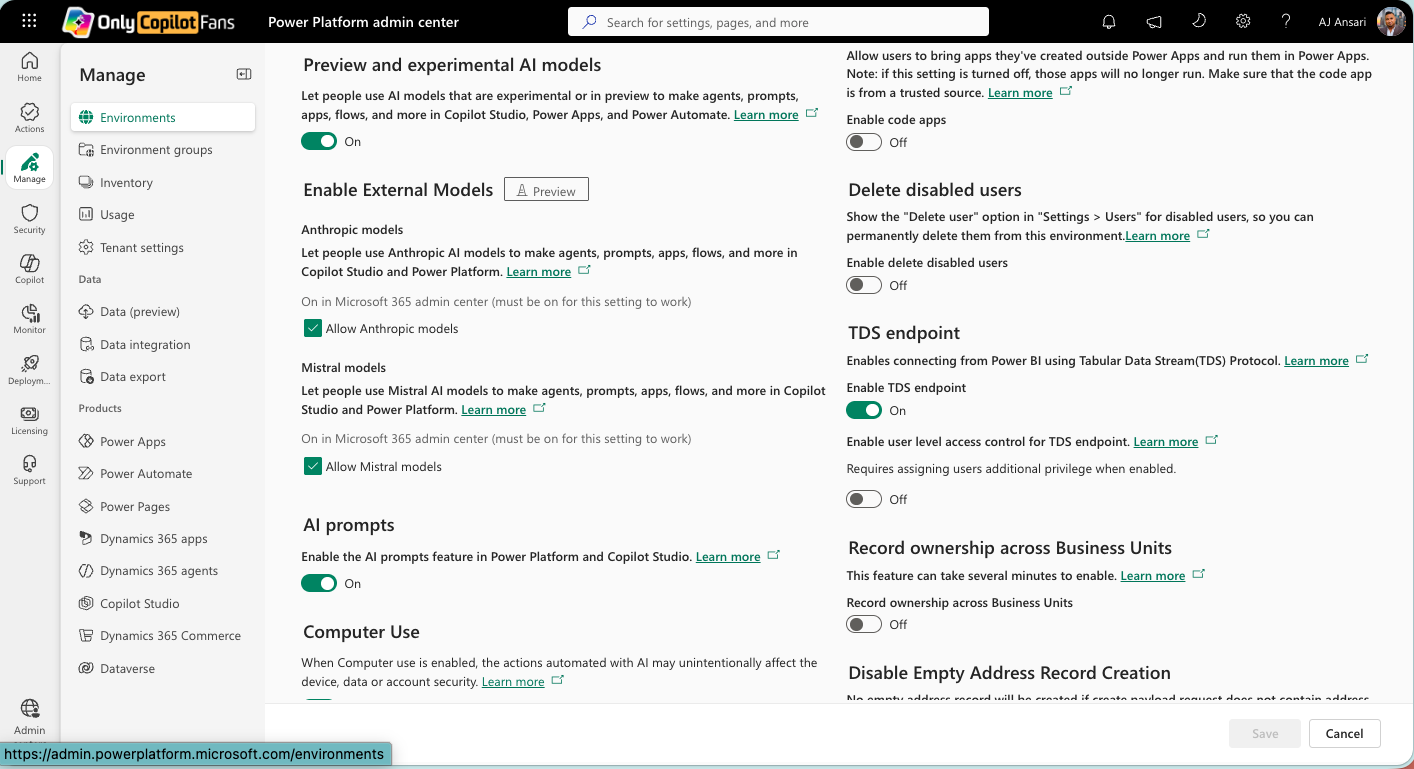
From the desired Environment, click on Settings > Product > Features. Scroll down until you find Enable External Models > Mistral Models > Allow Mistral models. Ensure that this box is checked, and save if necessary (i.e., if you had to change this setting).

Once these settings have been made, you can navigate to an agent (or create a new one) in an agent you have enabled. Here you should be able to see Mistral Medium 3.5 in the orchestration model dropdown for your agent.
Note: At the time of this writing (hours after the announcement on May 28), we do NOT see Medium 3.5 in our model selection drop-down, but the steps explained above are all that are prescribed for enabling. We checked in a Production, a Developer, and a Sandbox type Early Release Cycle environment We suspect it is only a matter of time before we start seeing it.
Which one will you use for your next POC agent?