Copilot Studio
 M365 Copilot
 Copilot Cowork
 Autopilots
 Governance
Among the many Copilot and Copilot Studio teasers and new feature announcements at Microsoft Ignite in November 2024 was Actions in Microsoft 365 Copilot. We saw a few short demos and the promise that it would be available in the coming months. And we are excited to share that "the eagle has landed."
Wait, didn't we already have Actions in Copilot Studio?
Correct. But the Actions feature in Copilot Studio is not the same as Actions in Microsoft 365 Copilot.
In Copilot Studio, Actions allow you to connect your AI Agent with an external service or app to read or write data. You can use a Power Platform connector, a custom connector, call a Power Automate Flow, or a Skill. (Check out our article on Copilot Studio Actions here)
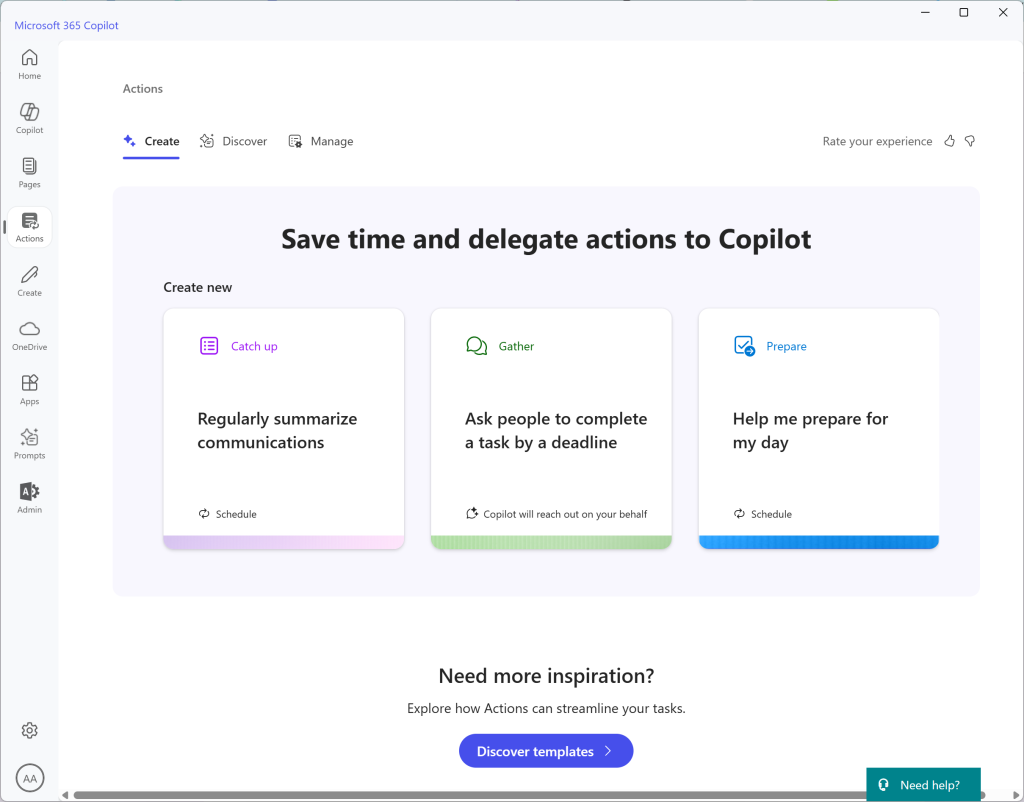
The new Actions feature in Copilot for Microsoft 365 is not about connecting to external services or apps. This feature is meant for you, the user, to delegate everyday tasks to your Copilot so you have more time to do high-value work.
How do the new Actions Work?
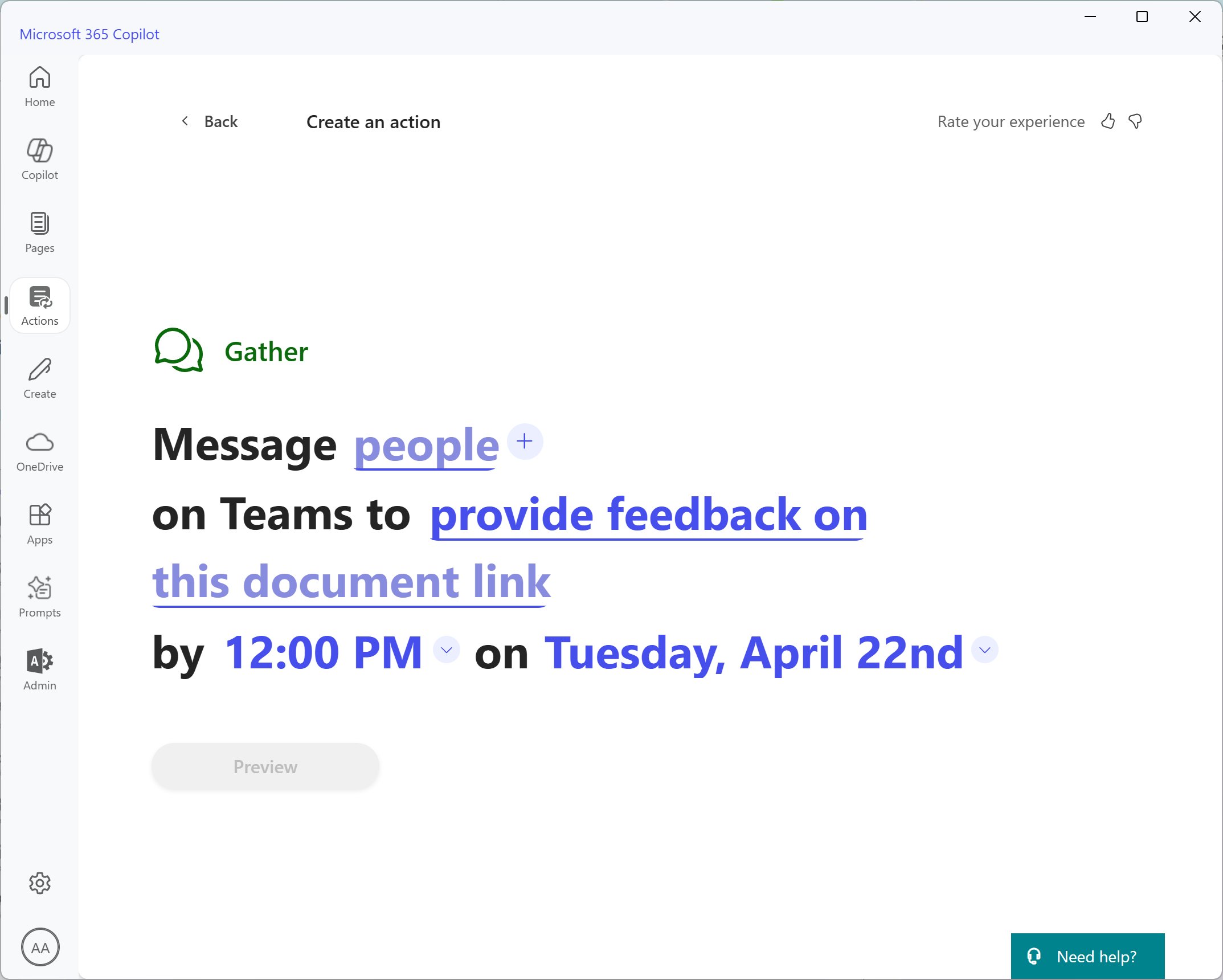
The new Actions are divided into three categories, Catch up, Gather, and Prepare with plenty of templates in each category.
And the good news is, they're very intuitive. Simply choose one of the templates in a category and click on one of the words in color that either have a dropdown icon or an underline. Some Actions will also allow you to choose a recurring schedule.
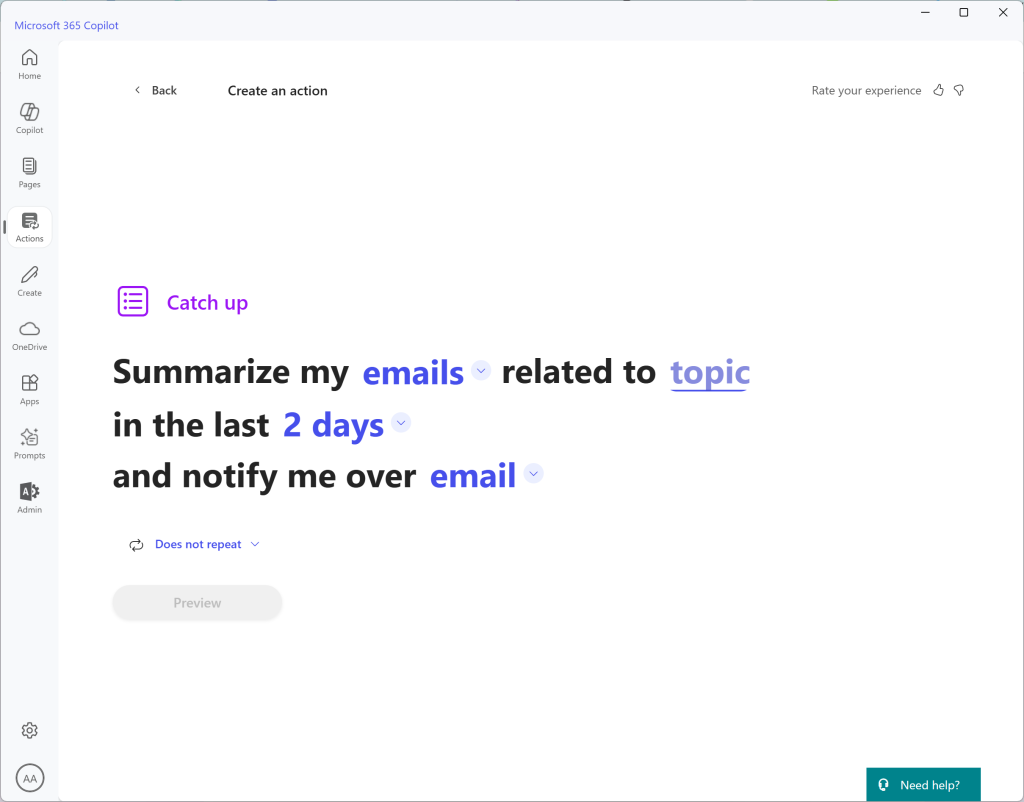
When completed, click on Preview to see a tree-view of your action. If you are satisfied, click Create and you're done.
How You Can Access Actions in Microsoft 365 Copilot
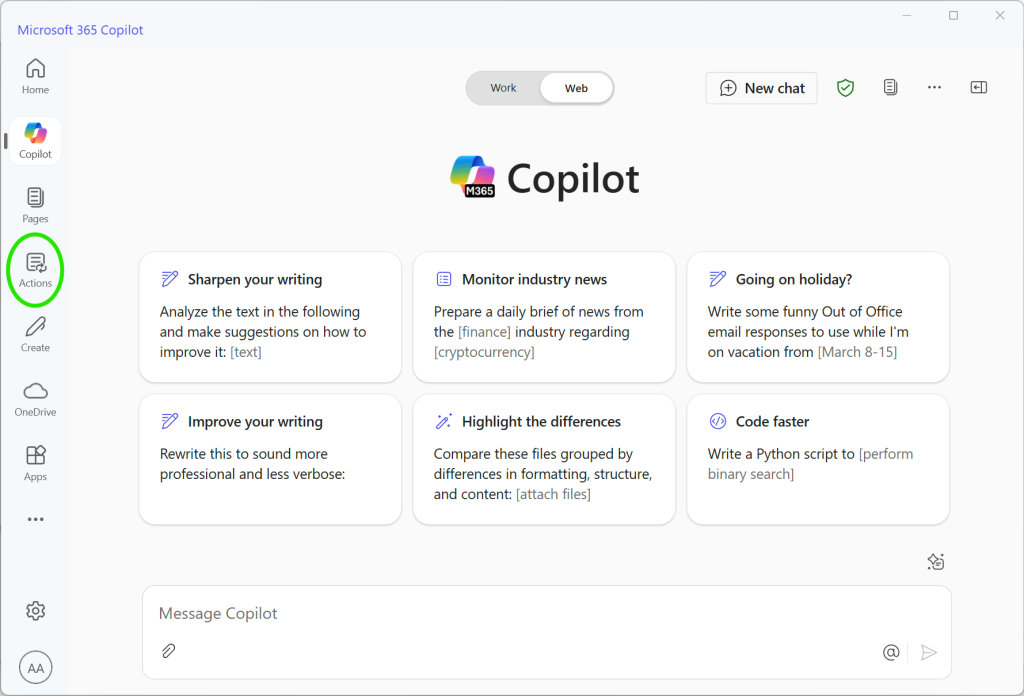
You can get to Actions from the navigation menu in either the Microsoft 365 Copilot app in Windows, or by navigating to https://m365copilot.com (paid Microsoft 365 Copilot subscription required) as shown in the screenshot.
At the time of this article's writing, Actions are not available on the phone or tablet Microsoft 365 Copilot app.
Want to see it in Action? Watch Our YouTube video
We've got a quick 9 minute video exploring all the things you can do with Actions in Microsoft 365 Copilot on our YouTube channel. Click here to check it out.
You can also read the full announcement about this new feature on Microsoft's Copilot blog.