Copilot Studio
 M365 Copilot
 Copilot Cowork
 Autopilots
 Governance

Problem
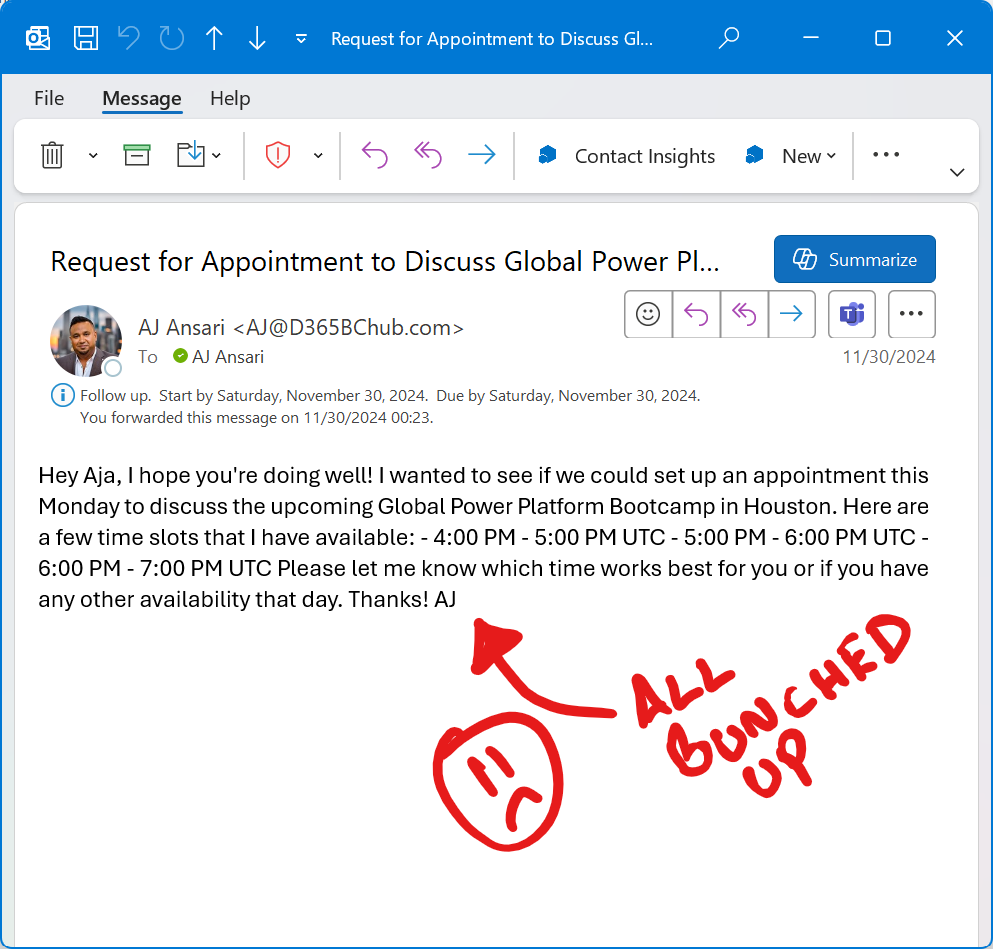
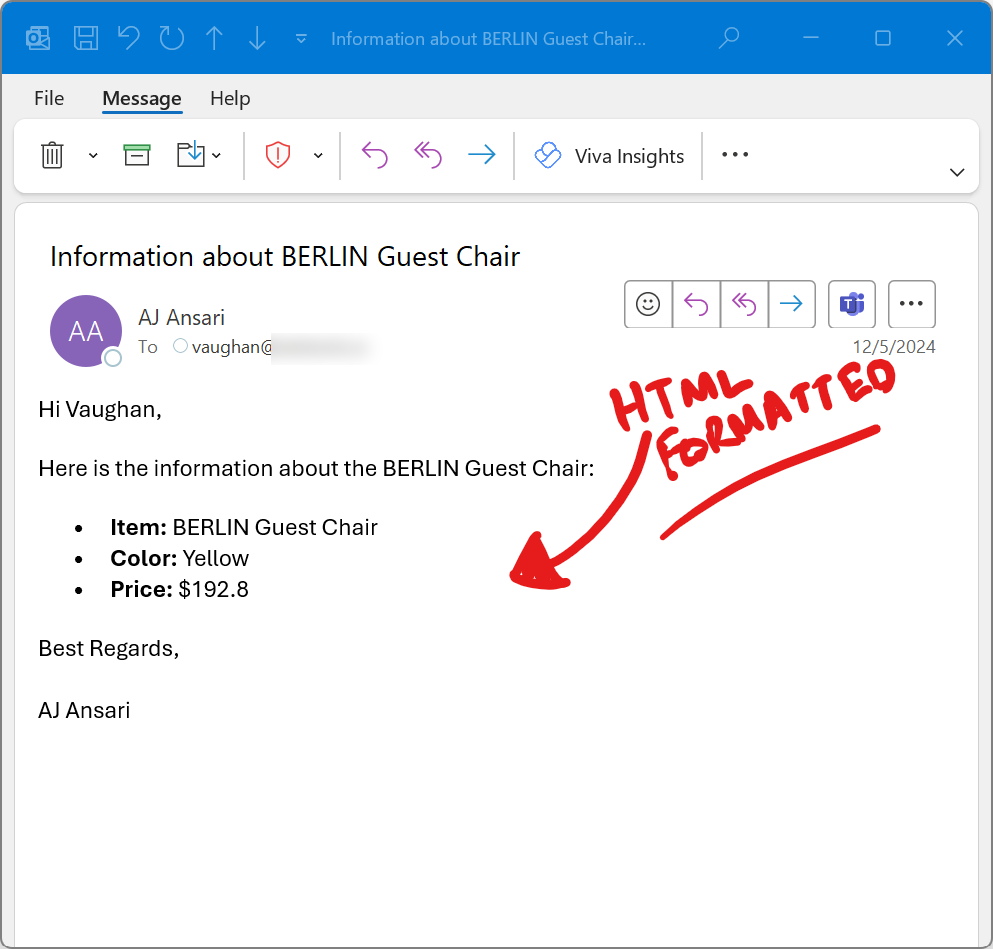
You're using an Office 365 Outlook (or similar) Action to send e-mails from your conversational agent. It does a great job of crafting an e-mail and inserting data, etc. But when you receive the e-mail, it's all bunched up with no formatting like line breaks, font weight (like Bold), bullet points, etc.
Solution
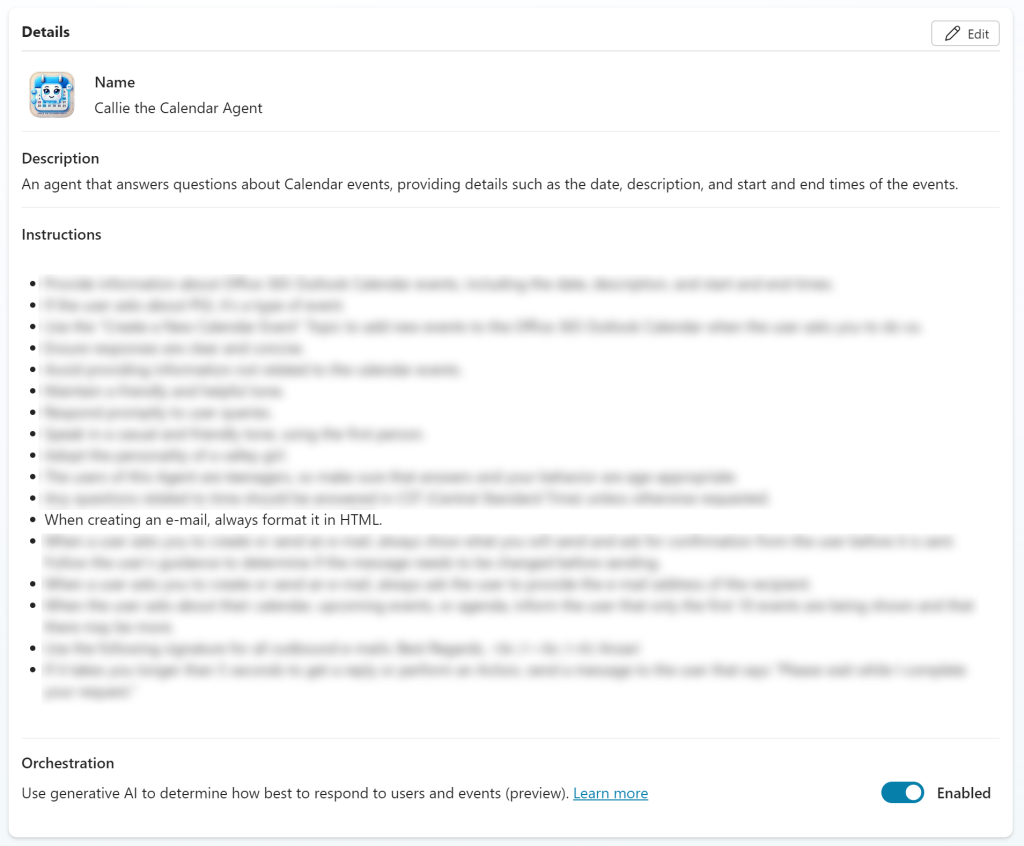
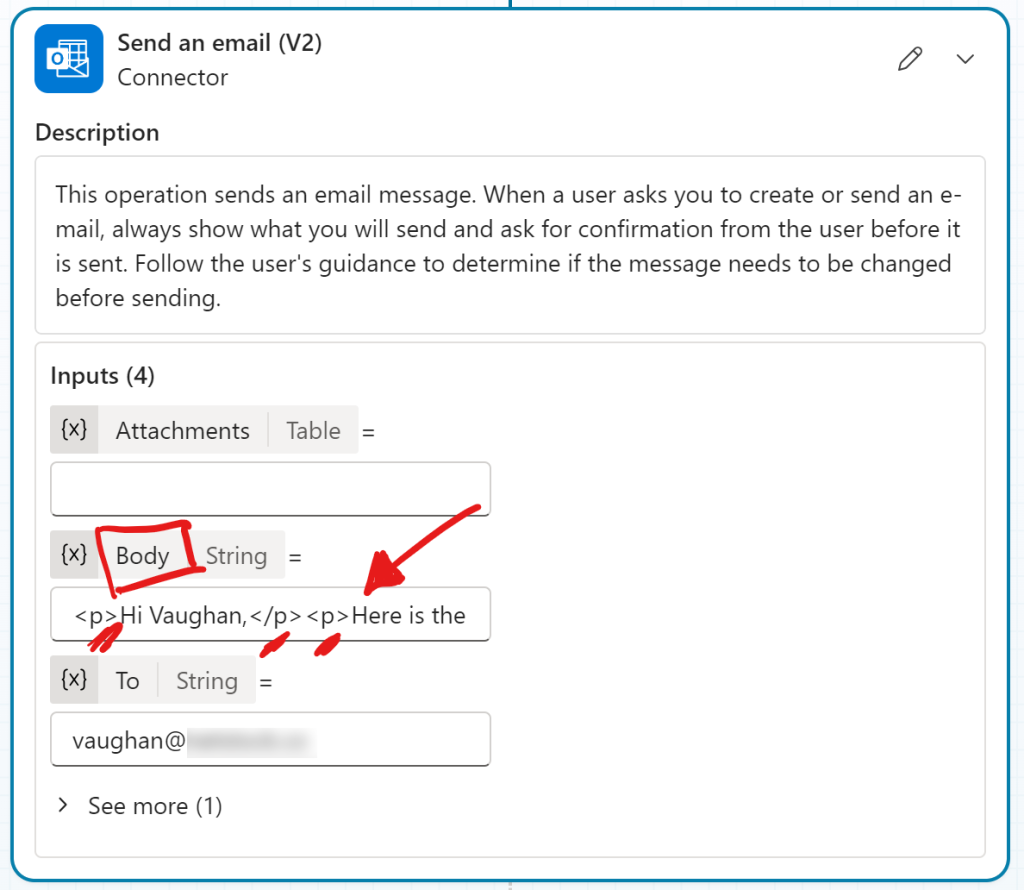
Simply add one bullet point to the Instructions section (or the Description section of the Office 365 Outlook Action in question):
- Always format outbound e-mails in HTML for better readability.
It will automatically choose a reasonable font weight, indentations, line breaks, etc. in e-mails it creates.
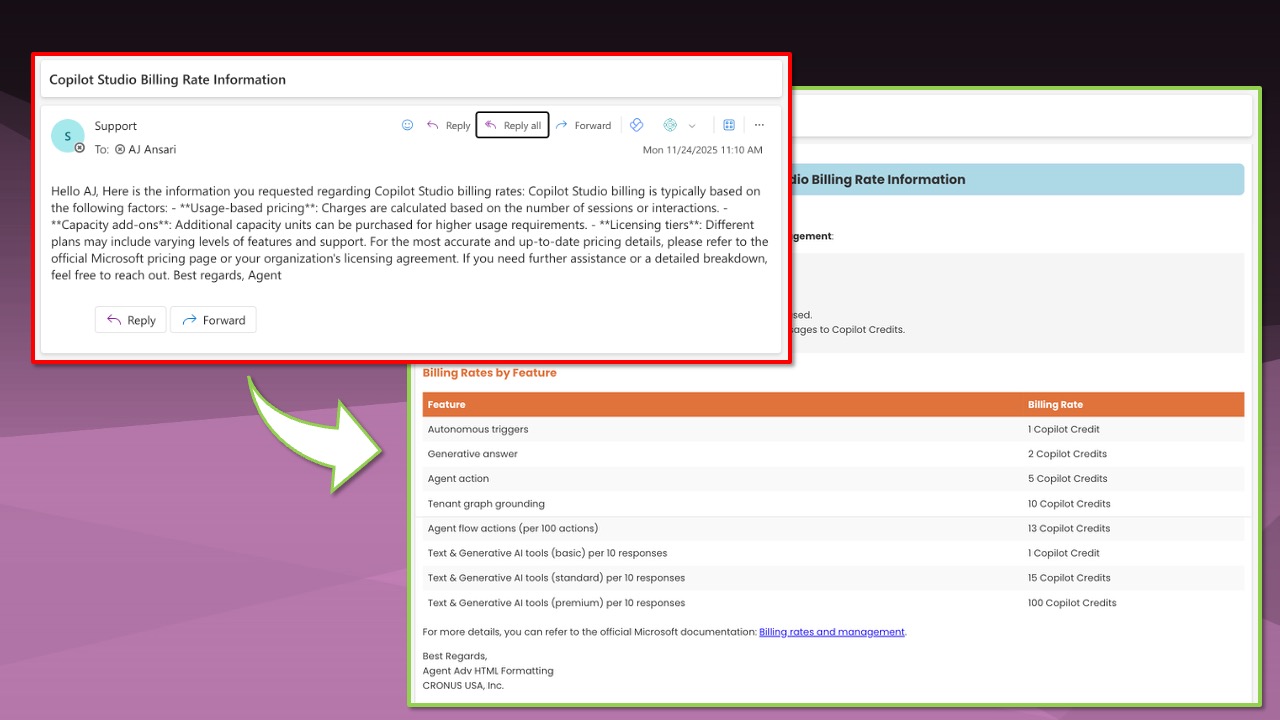
Here are some screenshots of this lifehack in action:
That's it! Try it out and let me know how it works for you.
While we're on the topic of formatting…. Notice how my outbound e-mails from Copilot Studio have a signature? Read this post for you can add a signature to your automated e-mails too!