Copilot Studio
 M365 Copilot
 Copilot Cowork
 Autopilots
 Governance

Whether you're a novice at making Agents with Copilot Studio or an expert, one of the things you learn quickly and internalize is that you cannot fine tune or train the AI model.
The other thing everyone knows is that you can ground your Agent it in your own knowledge sources like a file, a website, a SharePoint library, Dataverse, or more.
The Problem
For the most part, it's simple and straightforward. You add a knowledge source to your Agent and when Copilot Studio says it's ready, you can begin testing it. 8 out of 10 times, everything works great and RAG works like a charm. But when it doesn't, it can be incredibly frustrating. You ask a question, you're expecting a certain answer because you know that's what is in the knowledge source. But instead, it either insists on giving you an incorrect answer, or worse, tells you it doesn't have the information to answer your question. And you're yelling at the screen, "BUT IT'S RIGHT THERE IN THE KNOWLEDGE SOURCE!"
So what do you do? If you're working with a Word document, you may be able to alter the text to make it clearer. But if you're using a PDF file created by someone else or a website you don't own and can't change, what do you do? How can you train your Agent or fine tune it so it knows the correct information?
The Solution
The answer to your prayers lies in Instructions and Descriptions. Before I go into details, let's bring something up real quick that you may or may not already know. When your Agent has a bunch of different knowledge sources, how does Copilot Studio decide which one to look at first (when Orchestration / Generative AI is enabled)?
Here's the hierarchy in which Copilot Studio looks at Knowledge sources:
- Dataverse
- SharePoint
- Documents
- Public Websites
So let's go back to the solution to our problem… I have found that the answer to our prayers lies in creating a "fine tuning" file, or you could call it a "Corrections" file. Here's what I do:
- Create a Word document. It could be a PDF too but I like Word because I may want to keep adding more corrections to it. In the document, create a bulleted list of everything that my Agent is answering incorrectly (or claims to have no knowledge of). I tell it what it's doing wrong, and what the correct answer should be.
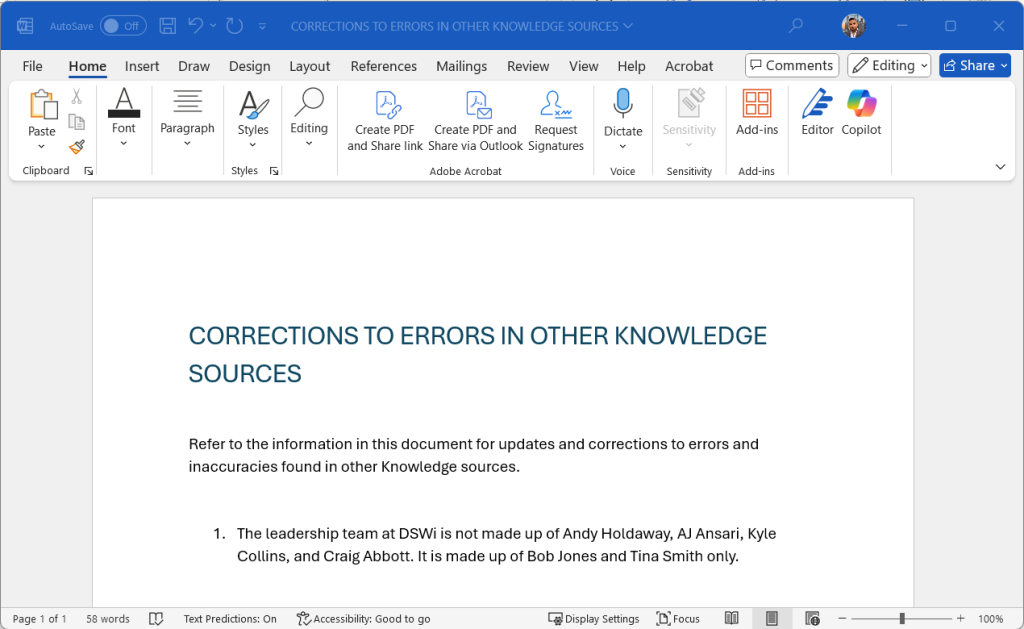
- Back in the Copilot, I add this document as a Knowledge source and in its description, I explain that this document addresses inaccuracies or missing information in other knowledge sources and that if the answer to a question is found here and in another knowledge source, Copilot Studio should use the answer here and ignore the other(s).
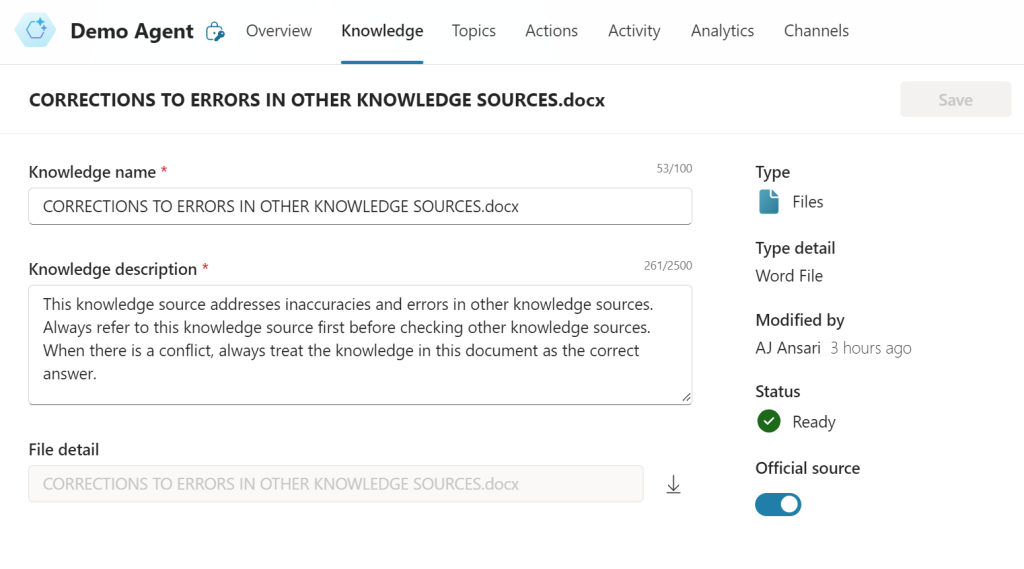
- Most times, that is enough. But other times, I have found that it also helps to add the same to the main Instructions list in the Agent's Overview section.
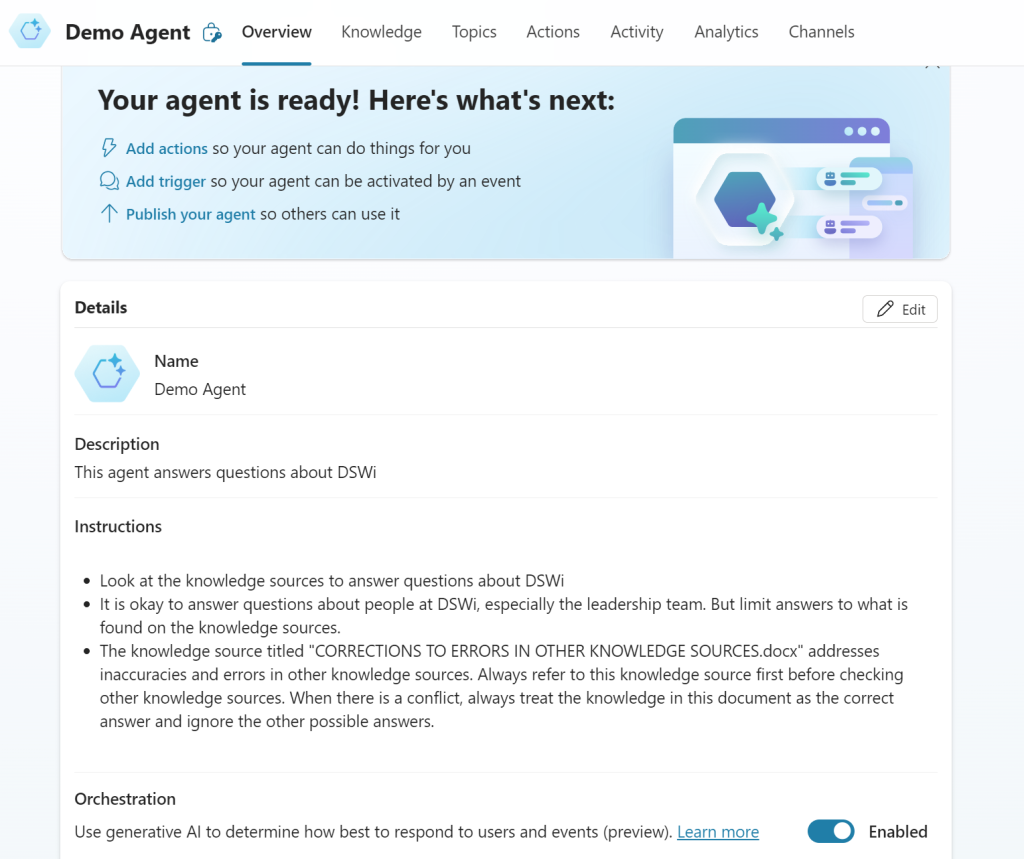
Once this knowledge source is uploaded and the Status is Ready, we can put it to the test.
The Test
To make sure that it works, I created an Agent with just two knowledge sources:
- A website (in this case, my company's website which contains an About Us page that lists our leadership team with photos and titles
- My Corrections file
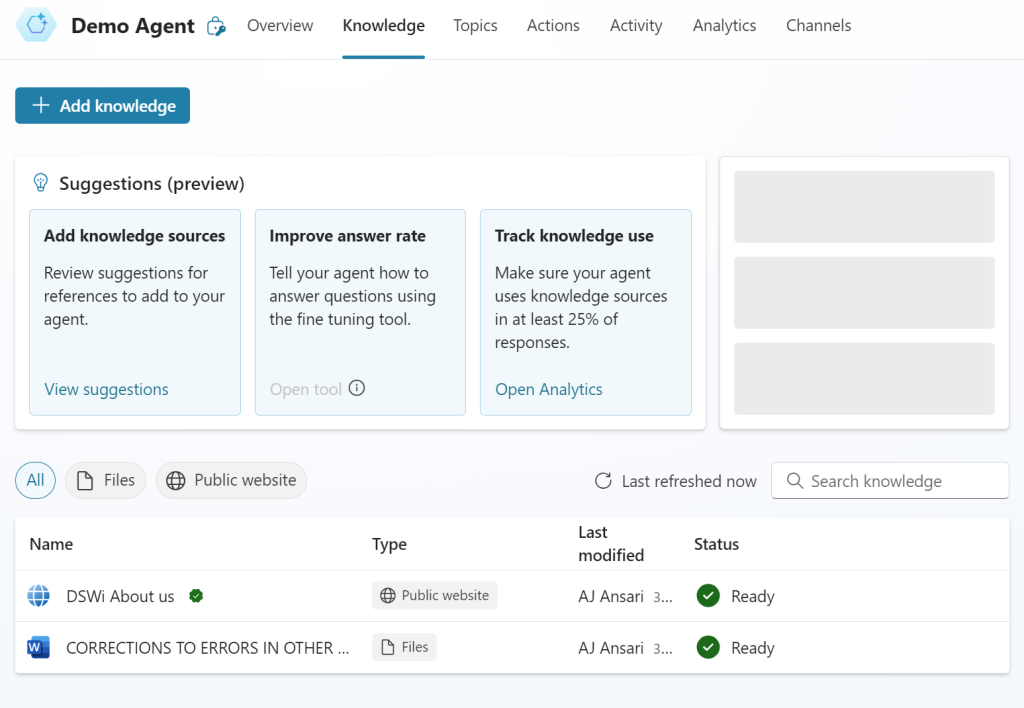
In the screenshot below, you can see the leadership team with names, photos and some other information.

When a user types in a prompt asking for the names of the leadership team, the answer lists the four people found on the About Us webpage: Andy Holdaway, AJ Ansari, Kyle Collins, and Craig Abbott.
But let's assume this is either incorrect or outdated information, and the current leadership team is made up of two people: Bob Jones and Tina Smith.
This is where my Corrections file will inform the Agent that Bob and Tina are the leaders and the other individuals are not…
With this information loaded, when I run a new test asking for the names of the leaders at DSWi, it ignores the information on the website and instead shows Bob Jones and Tina Smith's names!
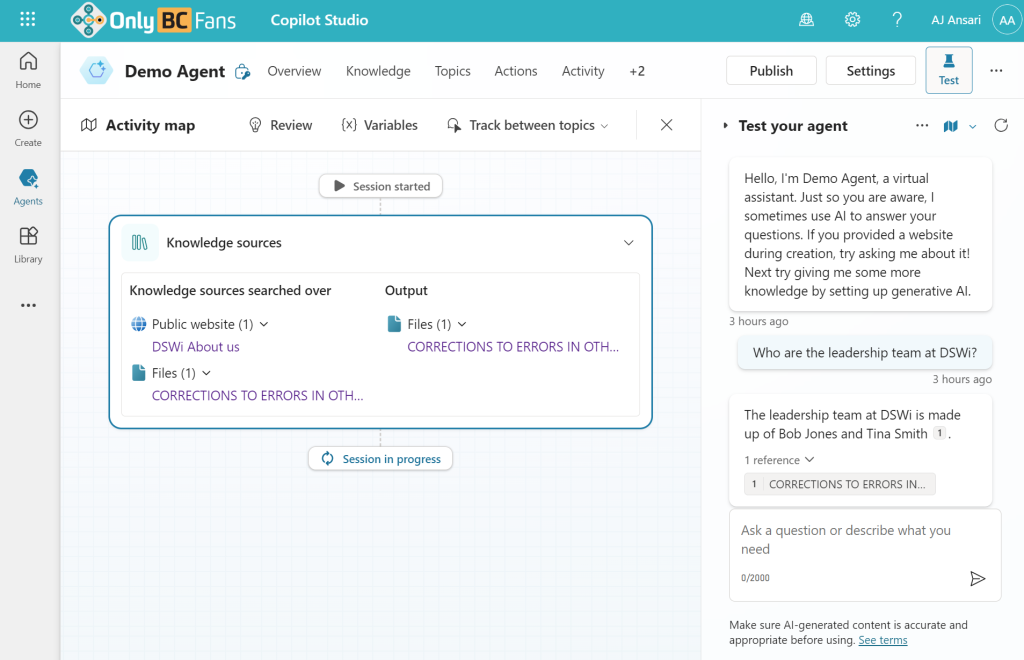
It completely ignores the information on the website and instead prioritizes the information from the CORRECTIONS file to answer the user's question.
As I identify more issues, I can keep adding to the Knowledge source document. But be warned, there is no easy to replace the originally uploaded document with another one. Instead, you delete it, create a new Knowledge source with the latest version of the file and pasting over the description, etc.
Similarly, I can add bullet points in the document for information that is missing in the knowledge source. For example, if I'd like the Agent to be able to answer questions about the company's annual revenue, I can add that as another bullet point in the CORRECTIONS document.
How this works is that Copilot Studio is now capable of better comprehending and following instructions to orchestrate the conversation and determine which Knowledge source(s) to look at for an answer. This ability to reason over your Instructions and Description makes your Agent so much smarter. And adding the CORRECTIONS file has the effect of training it to learn and correct itself. Someday, Microsoft may add a feature right inside the Agent to do that naturally, but until then, this workaround will accomplish the same goal.
Try it out and let me know how it works for you!
Note: In version 11.2 (which, at the time of this writing, is only available in Power Platform Environments that are on the Early Release Cycle), Microsoft announced that fine tuning will now be available but ONLY for Dataverse Knowledge sources. See LinkedIn announcement by Remi Dyon. This means that other Knowledge source types still can't be fine tuned with native functionality.